
Why Servers Run Hot: A Visual Guide to Thermal Design (Complete Enterprise Guide 2026)
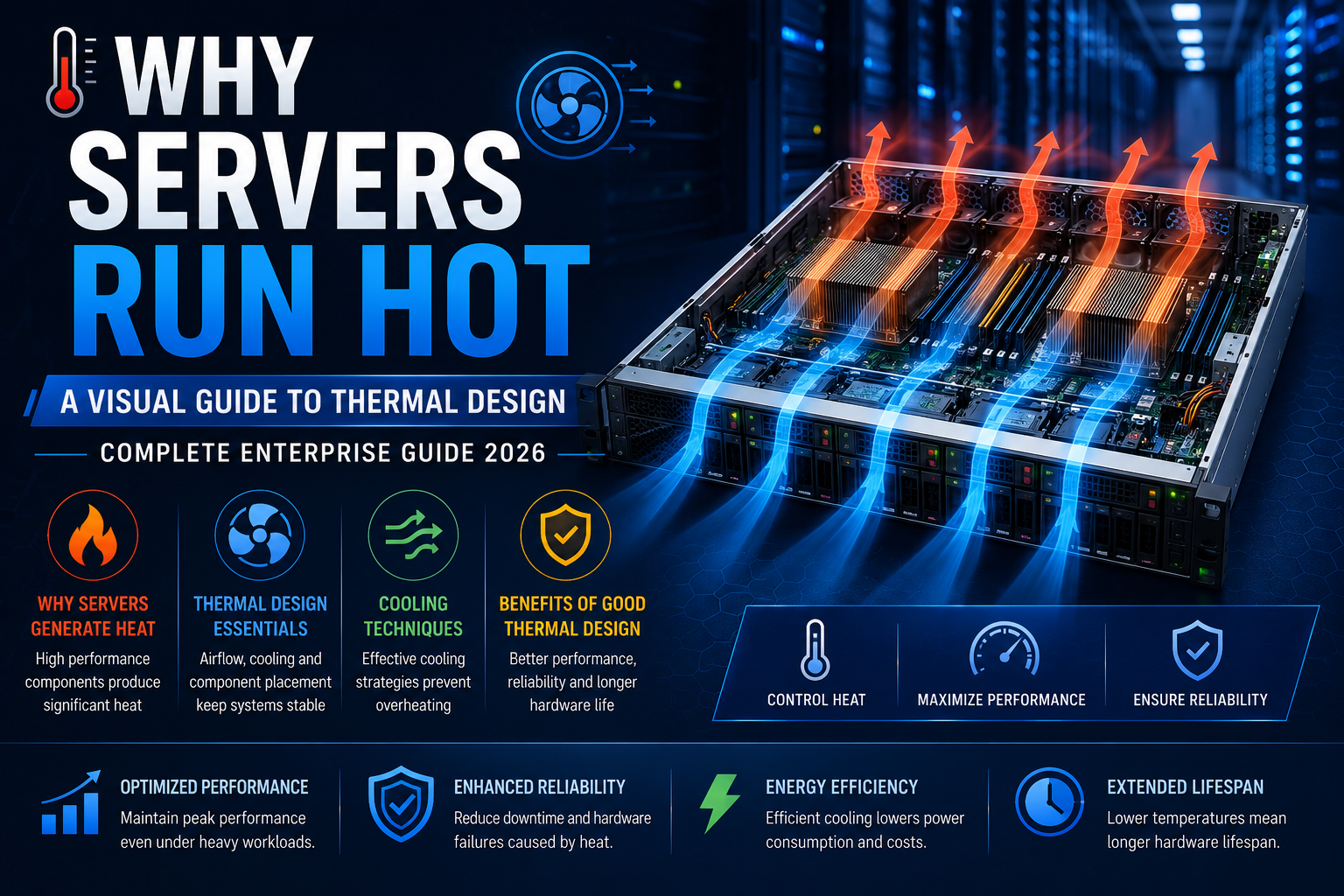
Discover why enterprise servers generate heat and how advanced thermal design, intelligent airflow, and efficient cooling systems ensure reliable performance, maximum uptime, and longer hardware life in modern data centers.
Why Servers Run Hot: A Visual Guide to Thermal Design


Enterprise servers are built to deliver exceptional computing power around the clock. Whether they are powering virtualization platforms, databases, AI workloads, cloud infrastructure, or business-critical applications, servers continuously process massive amounts of data. This high level of performance naturally generates heat.
Unlike consumer PCs that may sit idle for long periods, enterprise servers often operate at 70–100% utilization for extended durations. Without efficient thermal management, excessive heat can reduce performance, shorten hardware lifespan, increase energy consumption, and even cause unexpected downtime.
In this guide, we'll explain why servers generate so much heat, how thermal design keeps them operating efficiently, and the best practices organizations can follow to maintain optimal server temperatures.
Why Do Servers Produce So Much Heat?
Every electronic component consumes electrical energy. During computation, a portion of that energy is converted into heat.
The largest heat-producing components include:
- Multi-core Intel Xeon and AMD EPYC processors
- High-performance GPUs
- DDR5 ECC memory
- Storage controllers
- Network adapters
- Power supplies
Modern enterprise CPUs can consume anywhere from 150W to over 500W depending on workload and configuration. AI accelerators and high-end GPUs can generate several hundred additional watts, making cooling one of the most critical aspects of server design.
How Airflow Works Inside a Server


Most enterprise rack servers follow a simple but highly engineered airflow pattern:
Cool air enters from the front
↓
Cooling fans pull air across storage drives
↓
Air flows over memory modules
↓
Large heatsinks remove heat from CPUs
↓
Hot air exits through the rear
This front-to-back airflow design allows servers to be installed efficiently inside data center racks while maintaining predictable cooling performance.
Manufacturers carefully optimize airflow to ensure every component receives sufficient cooling without wasting energy.
The Role of High-Speed Cooling Fans
Enterprise servers typically contain multiple hot-swappable cooling fans.
These fans automatically adjust their speed depending on:
- CPU temperature
- GPU workload
- Memory temperature
- Ambient room temperature
- Internal airflow resistance
When server utilization increases, the fans spin faster to move more air through the chassis. During lighter workloads, fan speeds decrease to reduce power consumption and noise.
Although enterprise servers can sound loud, that noise is often a sign that the cooling system is actively protecting critical hardware.
Understanding CPU Heatsinks


The processor is typically the hottest component inside a server.
To manage heat effectively, servers use large aluminum or copper heatsinks that absorb thermal energy from the CPU. Cooling fans then push air through the heatsink fins, carrying heat away before it can damage sensitive electronics.
Premium enterprise systems also use advanced thermal interface materials between the processor and heatsink to maximize heat transfer efficiency.
Why Data Centers Use Hot and Cold Aisles


Cooling individual servers is only part of the equation.
Modern data centers organize server racks into hot aisles and cold aisles.
Cold Aisle
Cold air from precision cooling systems is delivered to the front of each server.
Hot Aisle
Warm exhaust air is collected behind the racks and removed before it can mix with incoming cool air.
This arrangement improves cooling efficiency while reducing energy costs.
What Happens When a Server Overheats?
When temperatures exceed safe operating limits, enterprise servers include built-in protection mechanisms.
Possible responses include:
- CPU performance throttling
- Increased fan speeds
- Hardware alerts
- Automatic workload migration
- Emergency shutdown
These safeguards prevent permanent hardware damage but can impact application performance if overheating persists.
Factors That Increase Server Temperature
Several environmental and operational factors contribute to higher server temperatures:
- Blocked air vents
- Dust accumulation
- Poor cable management
- High room temperature
- Failed cooling fans
- Overloaded processors
- Incorrect rack spacing
- Insufficient airflow in the server room
Routine maintenance significantly reduces these risks.
Best Practices for Better Server Cooling
Organizations can improve thermal performance by following these recommendations:
- Maintain clean air filters and vents.
- Keep server firmware up to date for optimized fan control.
- Use blanking panels in partially filled racks.
- Avoid blocking front or rear airflow.
- Monitor component temperatures continuously.
- Maintain recommended data center humidity and temperature.
- Replace faulty fans immediately.
- Organize power and network cables to minimize airflow obstruction.
These practices help improve hardware reliability while reducing operational costs.
Why Thermal Design Matters for Business
An efficient thermal design offers several business advantages:
- Higher system reliability
- Longer hardware lifespan
- Reduced downtime
- Improved energy efficiency
- Better workload performance
- Lower maintenance costs
- Increased return on IT investment
Whether running virtualization clusters, AI workloads, ERP systems, or enterprise databases, proper cooling directly contributes to infrastructure stability.
Choosing Servers with Advanced Cooling
Modern enterprise platforms from leading manufacturers incorporate advanced cooling technologies, including:
- Intelligent fan control
- Optimized airflow channels
- High-efficiency heatsinks
- Redundant cooling systems
- Real-time thermal monitoring
- AI-assisted thermal management
Selecting servers designed with efficient thermal architecture helps organizations support future workloads while maintaining consistent performance.
Conclusion
Thermal design is one of the most important yet often overlooked aspects of enterprise computing. Servers are engineered to run under demanding workloads, and generating heat is a normal consequence of delivering high performance. The key is not to eliminate heat, but to manage it effectively through intelligent airflow, advanced cooling components, and proper data center design.
Businesses that invest in well-designed server infrastructure and follow recommended cooling practices can achieve greater uptime, lower operating costs, and longer hardware life. As workloads continue to grow in complexity, understanding how servers stay cool is essential for building reliable, future-ready IT environments.
Frequently Asked Questions
Why do Rack Servers run hotter than desktop computers?
Rack servers contain more powerful processors, larger memory capacities, multiple storage devices, and are designed for continuous operation, all of which generate more heat than a typical desktop.
What is the ideal operating temperature for a server?
Most enterprise servers are designed to operate reliably in data centers maintained around 18°C to 27°C (64°F to 81°F), following common industry guidance. Internal component temperatures are often much higher but are managed by the server's cooling system.
Can overheating damage a server?
Yes. Prolonged overheating can reduce component lifespan, cause performance throttling, trigger unexpected shutdowns, or lead to hardware failure if cooling issues are not addressed.
Why are server fans so loud?
Server fans spin at very high speeds to move large volumes of air through dense hardware. Increased fan noise often indicates the server is responding to higher temperatures or heavier workloads.
How often should server cooling systems be checked?
Regular inspections every few months, combined with continuous temperature monitoring and preventive maintenance, help ensure optimal cooling performance and reliability.