SSD vs HDD for Servers: Which Storage Is Better in 2026?
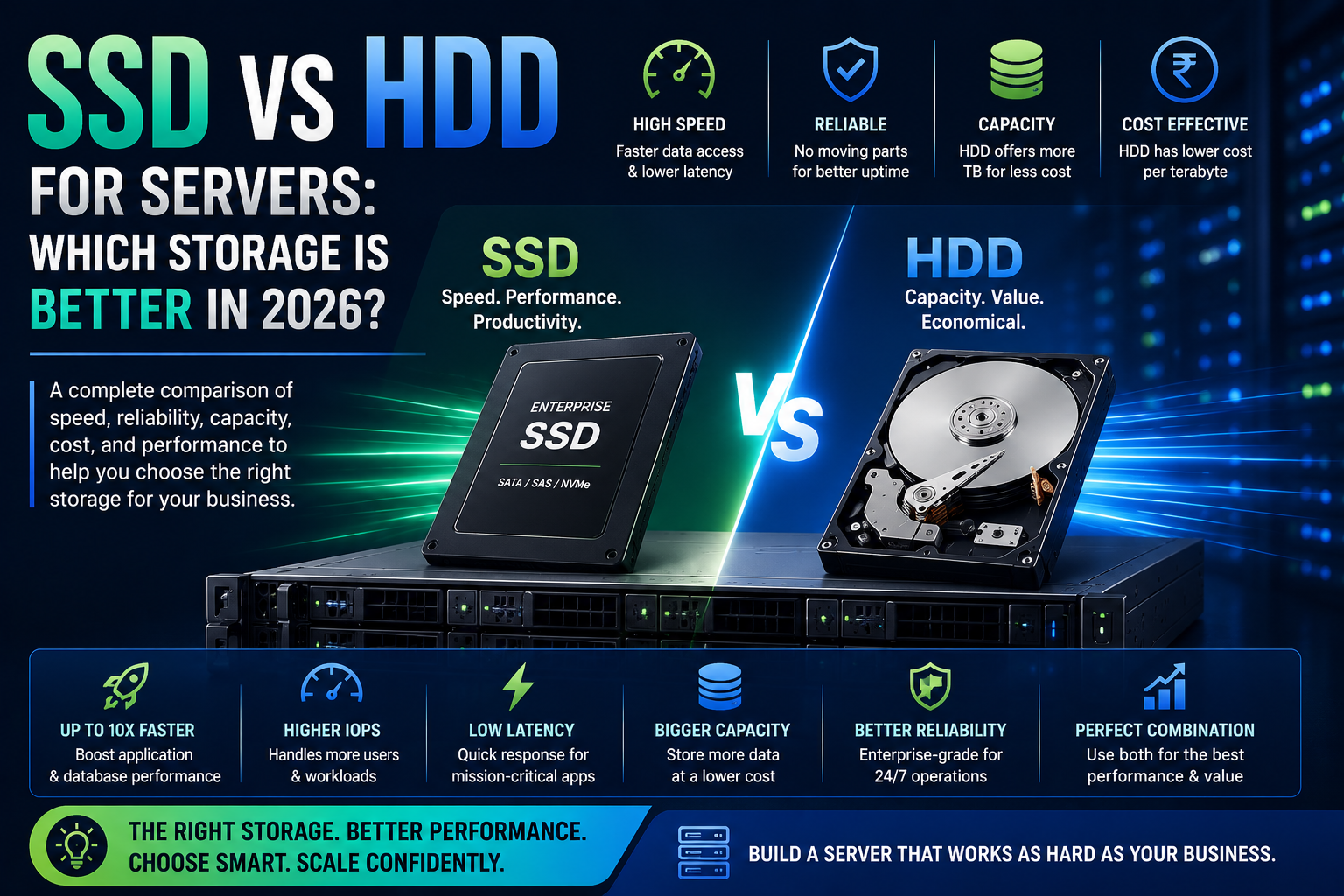
SSD and HDD storage serve different purposes in modern servers. Compare performance, capacity, reliability, cost, and workloads to determine which server storage is right for your business.
Choosing the right storage is an important part of configuring a business server. While processors and memory usually receive most of the attention, storage can have an equally noticeable impact on application performance, boot times, database operations, virtualization, backups, and file access.
In 2026, businesses generally have more server-storage options than ever. Enterprise SSDs offer extremely fast access and high IOPS, while HDDs continue to provide large storage capacities at a lower cost per terabyte.
So, which is better for a server?
The answer depends on what you're storing and how frequently that data needs to be accessed.
For some workloads, SSDs are the obvious choice. For others, HDDs remain highly practical. In many enterprise environments, the best solution isn't choosing one over the other—it's using both strategically.
What Is the Difference Between SSD and HDD?
The fundamental difference is how the two technologies store and access data.
A hard disk drive (HDD) uses spinning magnetic disks and mechanical components to read and write information. Because the drive has moving parts, accessing different areas of the disk involves mechanical movement.
A solid-state drive (SSD) stores data in flash memory and has no spinning disks or mechanical read/write heads.
This difference gives SSDs a major advantage in access latency and random I/O performance.
For a server, that can translate into faster application response times, quicker database operations, and better performance when many users or virtual machines are accessing storage simultaneously.
SSD vs HDD: Which Is Faster?
SSD is significantly faster than HDD for most server workloads.
The biggest advantage isn't simply sequential transfer speed. SSDs can provide dramatically lower access latency and much higher random I/O performance.
This matters when a server is constantly accessing many small files or performing numerous simultaneous read/write operations.
Examples include:
- Databases
- Virtual machines
- Application servers
- Online transaction processing
- Email platforms
- Web applications
- AI workloads
- Development environments
For workloads where storage latency is important, enterprise SSDs can make a noticeable difference.
Why SSDs Are Popular in Modern Servers
Modern applications increasingly rely on fast storage.
An SSD can help reduce storage-related bottlenecks when a server is handling multiple simultaneous operations.
For example, consider a virtualization server running several virtual machines. Each VM may independently perform reads and writes. With a mechanical HDD, those random operations can become a bottleneck.
An SSD can handle concurrent random workloads much more efficiently.
This is one reason enterprise servers commonly support SAS SSDs, SATA SSDs, and NVMe SSDs, depending on the server platform and workload requirements.
What Makes NVMe SSDs Different?
Not all SSDs are the same.
Traditional enterprise SSDs may use SATA or SAS interfaces, while NVMe SSDs communicate through PCIe.
NVMe was designed specifically for flash-based storage and can provide much higher throughput and lower latency than older storage interfaces.
For demanding applications such as:
- AI data pipelines
- High-performance databases
- Virtualization
- Analytics
- High-transaction applications
NVMe can be particularly attractive.
However, NVMe isn't automatically necessary for every server. If the workload is primarily archival storage or large sequential files, high-capacity HDDs may offer better value.
Where HDDs Still Make Sense in 2026
The rise of SSDs doesn't mean HDDs have become obsolete.
HDDs remain useful when capacity and cost per terabyte are more important than maximum performance.
Common HDD server workloads include:
- Backup repositories
- File archives
- Surveillance storage
- Large media libraries
- Cold data
- Document storage
- Long-term retention
- Bulk storage
If you need tens of terabytes of relatively inexpensive storage, using enterprise HDDs can be significantly more economical than building the entire storage system with SSDs.
SSD vs HDD for Server Performance
When performance is the priority, SSD generally wins.
SSDs provide:
Lower latency
Data can be accessed without waiting for mechanical components to move.
Higher IOPS
SSDs can handle large numbers of simultaneous input/output operations.
Faster application response
Applications that frequently access storage can respond more quickly.
Better virtualization performance
Multiple virtual machines can generate significant random I/O.
Faster boot and deployment
Operating systems and applications can load faster from SSD storage.
HDDs can still deliver good sequential performance, but random workloads are where the mechanical nature of HDDs becomes a larger limitation.
SSD vs HDD for Server Reliability
Reliability is more complicated than simply saying "SSD is more reliable."
HDDs contain mechanical components that can wear over time. SSDs have no moving parts, which eliminates mechanical failure mechanisms.
However, SSDs have their own considerations, including flash endurance and write cycles.
Enterprise SSDs are designed with workload endurance, power-loss protection, and other features that can make them appropriate for demanding server environments.
When purchasing server storage, don't evaluate reliability solely by whether the drive is an SSD or HDD.
Look at:
- Enterprise-grade design
- Endurance rating
- Workload type
- Warranty
- Power-loss protection
- Drive health
- Manufacturer specifications
- RAID configuration
Which Is Better for Server Databases?
For most active databases, SSD is the better choice.
Databases perform many random reads and writes, making low latency and high IOPS particularly valuable.
An SSD can help reduce storage bottlenecks for workloads such as:
- SQL databases
- ERP systems
- CRM platforms
- Financial applications
- Transaction processing
- Business analytics
For extremely demanding database environments, enterprise NVMe SSDs can provide an even higher level of storage performance.
Which Is Better for Virtualization?
If you're building a server for virtualization, SSDs are generally preferable for the active virtual-machine datastore.
Multiple VMs can generate simultaneous random I/O, and slow storage can affect the performance of the entire environment.
A practical configuration may use:
SSD/NVMe: Operating systems, applications, active VMs and frequently accessed data.
HDD: Backups, archives and less frequently accessed information.
This approach provides a useful balance between performance and storage capacity.
Which Is Better for Backup Storage?
This is where HDDs remain highly competitive.
Backup systems often require large amounts of storage, but not every backup needs extremely low latency.
For example, a business may need 20TB, 50TB, or more for backup retention.
Using enterprise HDDs can keep the storage cost under control.
However, if backups need to be created or restored extremely quickly, SSD storage can provide significant performance benefits.
Should You Use SSD and HDD Together?
For many businesses, this is the best approach.
Instead of asking whether SSD or HDD is universally better, classify your data.
Keep frequently accessed and performance-sensitive information on SSDs.
Use HDDs for larger datasets where capacity and cost are more important.
A server might therefore use:
NVMe SSDs for high-performance applications.
SAS/SATA SSDs for general enterprise workloads.
Enterprise HDDs for bulk storage and backups.
This layered approach allows businesses to spend money where storage performance actually matters.
What About RAID?
RAID remains important regardless of whether you're using SSDs or HDDs.
RAID can provide redundancy, improve performance, or both, depending on the configuration.
Common RAID levels include:
- RAID 0
- RAID 1
- RAID 5
- RAID 6
- RAID 10
The appropriate RAID level depends on the workload and availability requirements.
For example, RAID 10 is commonly considered for performance-sensitive workloads where redundancy and write performance are important.
However, RAID is not a backup.
Even a highly redundant RAID array can be affected by accidental deletion, malware, controller problems, or other failures. Critical business data should have a separate backup strategy.
How Much SSD Storage Does Your Server Need?
You don't necessarily need to make every drive in a server an SSD.
Start by identifying the applications that require fast storage.
For example:
Small business server:
A moderate SSD configuration may be sufficient for business applications and frequently accessed files.
Virtualization server:
More SSD capacity may be needed depending on the number and size of virtual machines.
Database server:
Prioritize low latency, high IOPS and sufficient capacity for active datasets.
Backup server:
Large-capacity HDDs may provide better economics.
AI server:
Fast NVMe storage can be valuable for datasets, checkpoints and data pipelines.
SSD vs HDD: Which Should You Buy in 2026?
There is no universal winner.
Choose SSD when you need:
- High IOPS
- Low latency
- Fast application performance
- Virtualization
- Database performance
- AI workloads
- High transaction rates
Choose HDD when you need:
- Large capacity
- Lower cost per terabyte
- Backup storage
- Archival storage
- File repositories
- Less frequently accessed data
Choose both when your business has a combination of performance-sensitive and capacity-focused workloads.
Final Verdict
In 2026, SSDs are the preferred choice for performance-sensitive server workloads, while HDDs remain an excellent option for high-capacity and cost-conscious storage.
The right decision isn't about replacing every HDD with an SSD.
Instead, look at how your business uses its data.
Applications, databases, virtual machines and frequently accessed datasets benefit from the low latency and high IOPS of SSDs. Backups, archives and large repositories can often be stored more economically on enterprise HDDs.
For many businesses, the most practical server-storage strategy is therefore a tiered approach that combines SSD and HDD storage.
Before buying, evaluate your workload, capacity requirements, I/O patterns, growth expectations and budget.
The best server storage configuration is the one that puts fast storage where performance matters and high-capacity storage where value matters.
Frequently Asked Questions
Is SSD better than HDD for servers?
SSD is generally better for performance-sensitive server workloads because it offers lower latency and higher IOPS. HDD can still be better for large-capacity storage where cost per terabyte is the main consideration.
Should I use SSD or HDD for a database server?
SSD is generally the better choice for active databases because database workloads often involve frequent random reads and writes. Enterprise NVMe SSDs can be considered for particularly demanding database environments.
Are HDDs still good for servers in 2026?
Yes. HDDs remain useful for backups, archives, surveillance data, file repositories and other workloads where high capacity and cost efficiency are more important than extremely low latency.
Is NVMe better than SATA SSD for servers?
NVMe can provide significantly higher performance because it uses PCIe rather than the older SATA interface. However, the best option depends on the workload and whether the server supports the required NVMe configuration.
Are SSDs more reliable than HDDs?
SSDs have no moving mechanical parts, but both technologies have different failure characteristics. Enterprise SSD endurance, HDD workload ratings, warranty, drive health and server design should all be considered.
Is SSD more expensive than HDD for server storage?
Generally, SSD storage costs more per terabyte than HDD storage, although the exact difference depends on capacity, interface, endurance, manufacturer and market conditions.
Which is better for server virtualization, SSD or HDD?
SSD is generally preferable for active virtual machines because virtualization can generate substantial random I/O. HDDs can still be useful for VM backups and archival data.
Which is better for server backup, SSD or HDD?
HDD is often more economical for large backup repositories. SSD can be useful when fast backup creation and restoration are important.
Can I use SSD and HDD together in one server?
Yes. Many servers support mixed storage configurations, although compatibility and RAID requirements depend on the specific server and controller. Using SSD for active workloads and HDD for bulk storage can be an effective strategy.
Does RAID make SSD or HDD storage faster?
Some RAID configurations can improve performance, while others primarily provide redundancy. The result depends on the RAID level, controller, drive type and workload. RAID should not be treated as a replacement for backups.
How do I choose server storage for my business?
Start by identifying your workload. Consider performance, IOPS, latency, capacity, redundancy, future growth and budget. Then select SSD, HDD or a combination that matches those requirements.