Server Security Basics Every Business Should Know (2026 Guide)
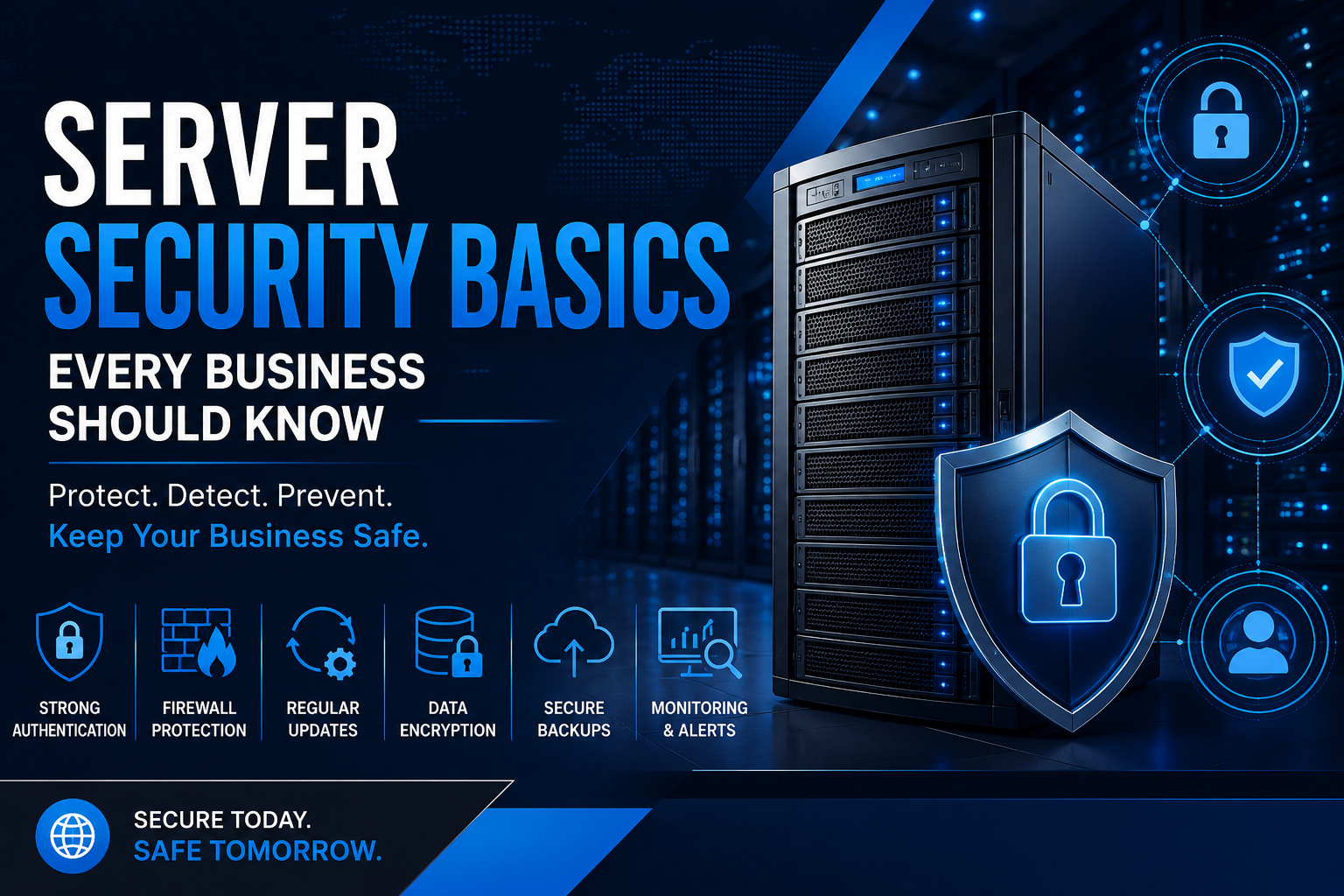
Protecting your server is critical for business continuity. Learn the essential server security practices every business should follow to defend against cyber threats, data breaches, and unauthorized access.
In today's digital landscape, Servers are the backbone of business operations. They store sensitive customer information, host websites and applications, manage databases, and power critical business processes. As cyber threats continue to evolve, protecting your server infrastructure is no longer optional—it's an essential part of running a secure and reliable business.
Whether you operate a small business with a single server or manage a large enterprise data center, understanding server security basics can help reduce the risk of data breaches, ransomware attacks, and costly downtime. This guide explains the key security practices every business should implement to keep enterprise servers safe.
Why Server Security Is Important
A server contains valuable business information, making it a common target for cybercriminals. If a server is compromised, businesses can experience data loss, financial damage, interrupted operations, and reputational harm.
Strong server security helps organizations:
- Protect confidential business and customer data
- Prevent unauthorized access
- Reduce downtime caused by cyberattacks
- Maintain compliance with industry regulations
- Improve overall business continuity
Investing in server security is often far less expensive than recovering from a successful cyberattack.
Keep Your Server Operating System Updated
One of the simplest yet most effective security measures is keeping your operating system and server software up to date.
Software vendors regularly release security patches that fix newly discovered vulnerabilities. Delaying these updates can leave your server exposed to attacks that exploit known weaknesses.
Create a regular maintenance schedule to install security updates for:
- Operating systems
- Hypervisors
- Server management tools
- Database software
- Web servers
- Firmware and BIOS
Keeping every component updated significantly reduces your attack surface.
Use Strong Authentication
Weak passwords remain one of the leading causes of server compromises.
Businesses should implement strong authentication practices such as:
- Complex passwords
- Multi-factor authentication (MFA)
- Unique administrator accounts
- Password rotation policies
- Role-based access control
Restrict administrative privileges only to employees who genuinely require them.
Configure Firewalls Properly
A firewall acts as the first layer of defense between your server and the internet.
Only necessary ports should remain open while unused services should be disabled. Firewall rules should be reviewed regularly to ensure they continue matching business requirements.
Proper firewall configuration helps block unauthorized traffic before it reaches your server.
Encrypt Sensitive Data
Encryption protects information even if unauthorized users gain access.
Businesses should encrypt:
- Customer databases
- Financial information
- Backup files
- Virtual machines
- Remote connections
Secure communication protocols such as HTTPS, SSH, and VPN connections provide additional protection for data moving across networks.
Install Reliable Endpoint and Malware Protection
Modern ransomware and malware attacks often begin through compromised endpoints before spreading to servers.
Deploy enterprise-grade security software capable of detecting:
- Malware
- Ransomware
- Spyware
- Suspicious activity
- Unauthorized processes
Real-time monitoring helps identify threats before they cause significant damage.
Limit User Permissions
Not every employee requires administrator access.
Applying the principle of least privilege ensures users only receive the permissions necessary for their role.
This reduces accidental changes while limiting the impact of compromised user accounts.
Regularly review user accounts and remove inactive employees immediately.
Secure Remote Access
Remote administration is convenient but also introduces security risks.
Businesses should secure remote access by:
- Using VPN connections
- Enabling MFA
- Restricting IP addresses
- Disabling unused remote services
- Monitoring login attempts
Avoid exposing management interfaces directly to the public internet whenever possible.
Back Up Critical Data Regularly
No security strategy is complete without reliable backups.
Even well-protected servers may experience hardware failures, accidental deletion, or ransomware attacks.
Follow the 3-2-1 backup strategy:
- Keep three copies of important data.
- Store backups on two different storage media.
- Maintain one copy off-site or in secure cloud storage.
Regularly test backups to ensure they can be restored successfully.
Monitor Server Activity
Continuous monitoring allows businesses to detect suspicious behavior before it becomes a serious security incident.
Monitor:
- Failed login attempts
- Unusual network traffic
- High CPU or memory usage
- File modifications
- Configuration changes
- Security alerts
Modern monitoring tools provide real-time notifications that help IT teams respond quickly.
Protect Physical Server Hardware
Server security isn't limited to software.
Businesses should also protect physical infrastructure by:
- Restricting server room access
- Installing surveillance cameras
- Using biometric or keycard entry
- Maintaining proper cooling
- Protecting against power failures with UPS systems
Physical security helps prevent theft, tampering, and accidental damage.
Develop an Incident Response Plan
Every business should prepare for potential security incidents before they happen.
A well-defined response plan should include:
- Identifying the affected systems
- Isolating compromised servers
- Restoring data from backups
- Informing stakeholders
- Investigating the root cause
- Implementing corrective actions
Having documented procedures minimizes downtime during emergencies.
Common Server Security Mistakes
Many businesses unknowingly create security risks through poor management practices.
Avoid these common mistakes:
- Using default administrator passwords
- Ignoring software updates
- Leaving unused ports open
- Disabling firewalls
- Skipping regular backups
- Sharing administrator accounts
- Running outdated operating systems
- Failing to monitor server logs
Addressing these issues can significantly strengthen your organization's overall security posture.
Final Thoughts
Server security is an ongoing process rather than a one-time setup. As cyber threats continue to evolve, businesses must regularly update their security practices to protect critical infrastructure and sensitive data.
By implementing strong authentication, timely software updates, secure remote access, reliable backups, proper firewall configuration, and continuous monitoring, organizations can significantly reduce the risk of cyberattacks while ensuring business continuity.
Whether you're deploying a new enterprise server or maintaining an existing IT environment, prioritizing server security today helps safeguard your business for the future.
Frequently Asked Questions
What is server security?
Server security is the process of protecting servers from unauthorized access, malware, cyberattacks, and data breaches using security controls, software updates, access management, and monitoring.
Why is server security important for businesses?
It helps protect sensitive business data, reduces downtime, prevents financial losses, and ensures reliable business operations.
What is the biggest server security risk?
Weak passwords, outdated software, poor access control, and unpatched vulnerabilities remain among the most common causes of server compromises.
How often should servers be updated?
Security patches should be applied as soon as practical after testing. Regular maintenance schedules should also include firmware, operating system, and application updates.
What is the best way to secure a business server?
A layered approach combining firewalls, encryption, MFA, backups, monitoring, software updates, and restricted user access provides the strongest protection.