HPE Server Specifications Explained: What to Check in 2026
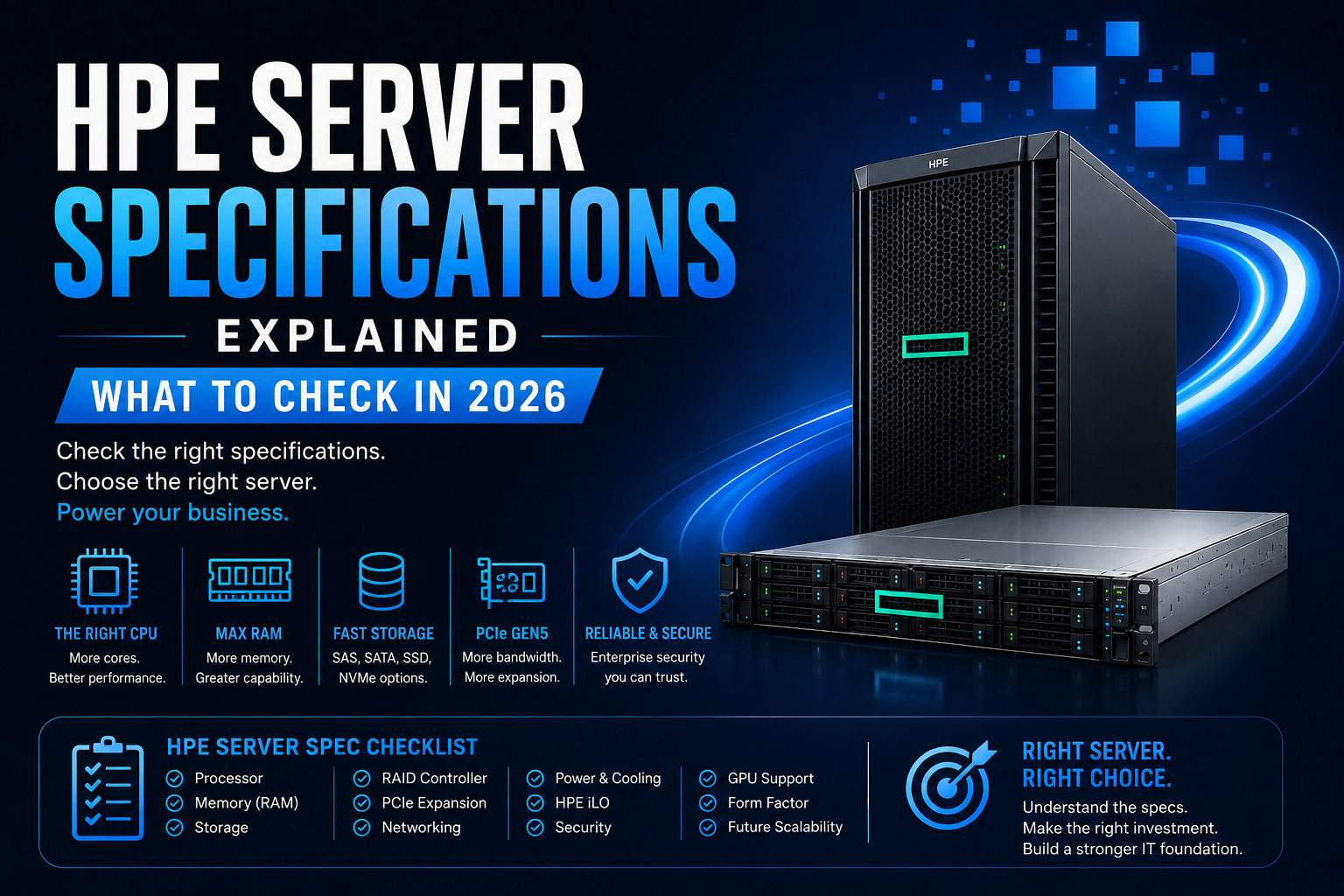
Buying an HPE server? Learn how to check CPU, RAM, storage, RAID, networking, PCIe, GPU support, power, cooling, management and scalability before you buy.
Choosing an HPE server is about much more than selecting a model number.
Two servers can both be called HPE ProLiant while having completely different processors, memory configurations, storage options, expansion capabilities and workloads. A configuration that works perfectly for a small business may be completely unsuitable for virtualization, databases, AI or high-performance computing.
In 2026, HPE's ProLiant Compute Gen12 portfolio includes platforms based on newer Intel Xeon 6 and AMD EPYC processors, DDR5 memory, PCIe Gen5 connectivity and updated management and security technologies. Depending on the model, HPE also offers support for high-performance GPUs and advanced cooling configurations.
That makes understanding the specification sheet increasingly important before buying.
This guide explains how to check HPE Server specifications and which specifications deserve the most attention.
Why HPE Server Specifications Matter
A server should be selected according to the workload it needs to handle.
For example, a business running file sharing may not need the same configuration as a company running dozens of virtual machines.
Similarly:
- A database needs strong CPU, RAM and storage performance.
- Virtualization needs substantial memory and CPU resources.
- AI workloads may require GPUs and high-speed networking.
- Backup servers prioritize storage capacity.
- Web applications may require balanced CPU, RAM and storage.
- HPC workloads can require large memory capacity and specialized accelerators.
The goal is to build a balanced server configuration, rather than spending the entire budget on one component.
1. Check the HPE Server Processor
The processor is one of the first specifications you should check.
Depending on the HPE server model, you may find Intel Xeon or AMD EPYC processors.
Current Gen12 platforms include systems based on Intel Xeon 6 and 5th Gen AMD EPYC processors. For example, HPE's DL380 Gen12 supports Intel Xeon 6 processors with configurations ranging from 8 to 144 cores, depending on the processor selected.
The HPE ProLiant Compute DL325 Gen12, meanwhile, supports 5th Gen AMD EPYC processors with up to 192 cores.
What should you check?
Don't look at core count alone.
Consider:
- Processor generation
- Number of cores
- Base and boost frequency
- Cache
- CPU TDP
- Number of processors supported
- Virtualization requirements
- Application licensing
A high-core-count processor isn't automatically the best choice.
For a database, frequency and memory performance may be particularly important. For virtualization or heavily parallel workloads, additional cores may provide more value.
2. Check Maximum RAM and Memory Type
RAM is one of the most important HPE server specifications, particularly for virtualization and database workloads.
Modern HPE ProLiant Compute Gen12 systems use DDR5 memory, with maximum capacity varying significantly by model.
For example, the HPE DL380 Gen12 supports up to 8TB of DDR5 memory with 32 DIMM slots, while the DL325 Gen12 supports up to 6TB with 24 DIMM slots in the configuration documented by HPE.
The HPE ML350 Gen12 also supports up to 8TB of DDR5 memory in its specified configuration.
Don't just check maximum RAM
You should also check:
- Number of DIMM slots
- Memory channels
- Supported DIMM capacity
- DDR5 speed
- ECC support
- Memory population rules
- Maximum RAM per CPU
- Future upgrade capacity
For example, HPE's DL325 Gen12 has 12 memory channels per processor and supports DDR5 speeds up to 5200 MT/s in the specified configuration.
If you plan to expand memory later, leaving available DIMM slots can be more useful than filling every slot on day one.
3. Understand ECC Server Memory
Enterprise servers don't normally use ordinary desktop memory.
HPE ProLiant platforms use ECC memory, which helps detect and correct certain memory errors.
HPE's current Gen12 specifications include Advanced ECC and other memory reliability, availability and serviceability features depending on the platform.
This matters because servers are often expected to run continuously and handle important business workloads.
When checking an HPE server specification, verify the supported memory type rather than assuming standard consumer RAM will work.
4. Check Server Storage Options
Storage is another specification that needs careful attention.
An HPE server may support different combinations of:
- SAS drives
- SATA drives
- SSDs
- NVMe SSDs
- LFF drives
- SFF drives
- EDSFF drives
The exact options depend on the server model and chassis configuration.
For example, HPE's DL380 Gen12 can be configured with different combinations of LFF, SFF and NVMe storage depending on the selected configuration.
Ask these questions before buying:
How much capacity do I need?
Consider both current data and future growth.
Do I need performance or capacity?
NVMe and SSD storage can provide substantially lower latency than traditional HDD storage.
Do I need large-capacity drives?
If you're building a backup or archive server, LFF HDDs may provide better capacity economics.
Will I expand storage later?
Check the number of available drive bays and supported storage configurations.
5. Check the RAID Controller
If you're purchasing an HPE server with multiple drives, don't overlook RAID.
RAID can provide redundancy and, depending on the configuration, performance improvements.
Common RAID levels include:
- RAID 0
- RAID 1
- RAID 5
- RAID 6
- RAID 10
The right RAID level depends on your workload.
For example, a business database may have different requirements from a backup server.
Also remember:
RAID is not a backup.
A redundant RAID array can still be affected by accidental deletion, malware, hardware problems or other failures.
A separate backup strategy is still required.
6. Check PCIe Gen5 Expansion
Expansion slots become particularly important if you plan to add GPUs, network cards, storage controllers or other adapters.
HPE's Gen12 platforms introduce extensive PCIe Gen5 connectivity.
For example, the DL380 Gen12 supports up to eight PCIe Gen5 slots and two OCP 3.0 interfaces, depending on configuration.
The DL325 Gen12 provides multiple PCIe Gen5 x16 expansion options and OCP 3.0 support.
Why does this matter?
Suppose you buy a server today and later want to add:
- A 100GbE network card
- GPU accelerator
- NVMe controller
- Fibre Channel adapter
- Additional storage controller
You need enough compatible expansion capacity.
Future expansion should be part of your initial specification check.
7. Check GPU Support for AI Workloads
If you're purchasing an HPE server for AI, machine learning or GPU computing, don't assume every ProLiant model supports every GPU.
GPU compatibility depends on:
- Server model
- GPU form factor
- Power requirements
- Cooling
- PCIe configuration
- Number of GPUs
- Firmware
- Chassis configuration
For example, HPE lists the DL325 Gen12 as supporting up to four single-wide or two double-wide GPUs in specified configurations.
HPE also offers specialized Gen12 platforms for demanding accelerated workloads.
The DL384 Gen12, for example, is built around NVIDIA GH200 Grace Hopper Superchip configurations and provides up to 144GB HBM3e per GH200 configuration, depending on the platform option.
Therefore, if you're planning an H100, H200, L40S or other GPU server, check the exact HPE QuickSpecs rather than relying on a general product description.
8. Check Networking
Modern applications increasingly require high-speed networking.
A basic office server may only need conventional Ethernet.
A virtualization cluster, AI environment or storage server may require substantially faster connectivity.
Depending on the HPE model, networking options can include:
- 1GbE
- 10GbE
- 25GbE
- 100GbE
- 200GbE
- OCP network adapters
For example, HPE's DL380 Gen12 documentation lists network options ranging from 1Gb to 200Gb depending on configuration.
When evaluating networking, consider both current requirements and future expansion.
9. Check HPE iLO
One of the major advantages of HPE ProLiant servers is Integrated Lights-Out, commonly known as iLO.
iLO provides remote server-management capabilities including server setup, health monitoring, power control and thermal management. HPE identifies iLO 7 as the management ASIC for Gen12 ProLiant servers.
This can be particularly useful for businesses that don't have an IT administrator physically located next to the server.
Remote management can help administrators:
- Monitor server health
- Check hardware status
- Manage power
- Perform remote administration
- Troubleshoot problems
- Manage firmware
When buying an HPE server, check which iLO version is included and which advanced management features require licensing.
10. Check Security Features
Server security should be considered before purchasing—not after deployment.
HPE's current ProLiant platforms include security technologies such as Silicon Root of Trust and firmware protection capabilities. HPE describes these technologies as part of its approach to protecting server infrastructure and workloads.
Also check for:
- TPM 2.0
- Secure Boot
- Firmware security
- Intrusion detection
- Secure management
- Hardware-based security
- Operating-system security support
For businesses handling sensitive information, hardware security should be part of the server selection process.
11. Check Power Supply Configuration
Power requirements can vary considerably between server configurations.
A basic server with a single CPU and a few drives will have very different requirements from a dual-CPU system with multiple GPUs and high-speed networking.
HPE's DL380 Gen12, for example, supports multiple HPE Flexible Slot power-supply options ranging from 800W through higher-capacity configurations up to 1800W–2200W depending on model and configuration.
Before buying, check:
- PSU wattage
- Number of power supplies
- Redundancy
- Input voltage
- GPU power requirements
- Data-center power availability
Don't select a power supply based only on today's configuration if you plan to add GPUs or additional drives later.
12. Don't Ignore Cooling
A server that runs hot can experience performance and reliability problems.
Cooling becomes especially important when installing:
- High-core-count CPUs
- Multiple GPUs
- High-speed networking
- Large storage configurations
HPE's Gen12 portfolio includes different cooling approaches depending on the platform, including air cooling, closed-loop liquid cooling and direct liquid cooling on selected systems.
If you're building a high-density AI server, cooling should be considered alongside power consumption.
13. Check the Server Form Factor
HPE offers different server designs for different environments.
Common choices include:
1U Rack Servers
These are useful when rack density is important.
The DL360 Gen12, for example, is a 1U rack platform.
2U Rack Servers
A 2U server generally provides more physical room for storage, expansion and other components.
The DL380 Gen12 is a 2U platform with extensive expansion and storage options.
Tower Servers
Tower systems can be more convenient for offices and organizations without dedicated server racks.
The ML350 Gen12 is an example of a tower-oriented ProLiant Compute platform.
The right form factor depends on your available space and infrastructure.
14. Check Virtualization Compatibility
If you're planning to use VMware, Microsoft Hyper-V, Linux KVM or another virtualization platform, check compatibility before buying.
The server configuration should be evaluated for:
- CPU virtualization support
- RAM capacity
- Storage performance
- Network adapters
- RAID compatibility
- Hypervisor support
- Firmware requirements
- GPU virtualization if required
A server with large RAM capacity and multiple CPU cores can be useful for consolidating several virtual machines onto one physical system.
15. Check the HPE QuickSpecs Before Buying
One of the most useful resources when configuring an HPE server is the official QuickSpecs document.
Product pages often provide a simplified overview, while QuickSpecs provide detailed information about supported processors, memory, storage, controllers, expansion slots, networking, power supplies and configuration limitations.
This is particularly important because the maximum specification shown for a server may not be achievable with every configuration simultaneously.
For example, HPE documents specific memory speeds, DIMM population rules and storage limitations for different configurations.
Always verify the exact configuration rather than relying on the maximum headline specification.
HPE Server Specification Checklist
Before buying an HPE server, check these specifications:
Processor
- CPU generation
- CPU model
- Core count
- Frequency
- Cache
- Single or dual socket
Memory
- DDR5 support
- Total RAM
- DIMM slots
- Memory channels
- ECC
- Maximum supported capacity
Storage
- SAS
- SATA
- SSD
- NVMe
- LFF/SFF/EDSFF
- Drive-bay count
RAID
- RAID controller
- Supported RAID levels
- Cache
- Drive compatibility
Expansion
- PCIe generation
- Number of PCIe slots
- Slot widths
- OCP support
- GPU compatibility
Networking
- Ethernet speed
- Number of ports
- OCP NIC
- Fibre Channel requirements
- High-speed networking
Management
- HPE iLO version
- Remote management
- HPE OneView
- HPE Compute Ops Management
Power and Cooling
- PSU wattage
- Redundant PSU
- Fan configuration
- Cooling requirements
- GPU thermal requirements
Security
- TPM
- Secure Boot
- Silicon Root of Trust
- Firmware security
- Intrusion detection
Which HPE Server Should You Choose?
The answer depends on your workload.
For general business applications
A single-socket ProLiant system can provide a good balance of CPU, memory, storage and expansion.
For virtualization
Look for high memory capacity, multiple CPU cores, fast storage and sufficient networking.
For databases
Prioritize CPU performance, RAM, low-latency storage and reliable RAID.
For storage
Focus on drive-bay capacity, controller support, SAS/SATA/NVMe options and expansion.
For AI and GPU workloads
Check GPU compatibility, PCIe layout, power supplies, cooling and high-speed networking before selecting the server.
For demanding enterprise workloads
Dual-socket systems such as the DL380 Gen12 or ML350 Gen12 can provide substantially more expansion and memory capacity depending on configuration.
New HPE Server vs Refurbished HPE Server
A new HPE server is not always the only option.
For budget-conscious businesses, a refurbished HPE ProLiant server can make sense for workloads that don't require the newest platform.
Refurbished servers can be suitable for:
- File servers
- Backup
- Development
- Testing
- Small virtualization environments
- Secondary infrastructure
- Disaster recovery
However, specification checking becomes even more important when buying refurbished.
Verify:
- Exact CPU
- Installed RAM
- Drive condition
- RAID controller
- Network cards
- Power supplies
- Firmware
- Warranty
- Upgrade options
Don't purchase a refurbished HPE server simply because the model number looks suitable. Check the actual configuration.
Final Verdict
Checking HPE server specifications before buying can help prevent one of the most common server-purchasing mistakes: choosing hardware based on the model name rather than the actual configuration.
In 2026, HPE's ProLiant Compute Gen12 portfolio offers substantial improvements across processors, DDR5 memory, PCIe Gen5 expansion, security and management. Depending on the model, platforms can scale from compact single-socket systems to powerful dual-socket servers with multiple terabytes of memory and extensive GPU support.
But maximum specifications don't necessarily mean you need maximum hardware.
The right HPE server should be based on:
Workload + CPU + RAM + Storage + Networking + Expansion + Security + Power + Future Growth
Before purchasing, identify what applications the server will run, how many users or virtual machines it needs to support, how much storage you require and how quickly your business is expected to grow.
Then compare the exact HPE configuration against those requirements.
The best HPE server isn't necessarily the biggest or newest model. It's the configuration that gives your business the right performance, reliability and upgrade path for the money.
Frequently Asked Questions
What HPE server specifications should I check before buying?
The most important specifications include CPU, RAM, storage, RAID, networking, PCIe expansion, GPU support, power supplies, cooling, iLO, security features and future upgrade capacity.
What is the latest HPE ProLiant generation in 2026?
HPE's current portfolio includes ProLiant Compute Gen12 platforms. Gen12 models include systems based on Intel Xeon 6 and AMD EPYC processors, depending on the model.
How much RAM can an HPE Gen12 server support?
It depends on the model. For example, HPE lists up to 8TB of DDR5 memory for the DL380 Gen12 and ML350 Gen12, while the DL325 Gen12 supports up to 6TB in its documented configuration.
What type of RAM does HPE Gen12 use?
HPE Gen12 platforms use DDR5 memory, with the exact supported speed and capacity depending on the server and processor configuration. HPE recommends HPE DDR5 Smart Memory for specified performance capabilities.
Does HPE Gen12 support NVMe SSDs?
Yes. Selected Gen12 servers support NVMe storage, with the number and configuration depending on the specific model and chassis. The DL380 Gen12, for example, supports optional NVMe configurations.
Does HPE Gen12 support GPUs?
Yes. Selected HPE Gen12 servers support GPUs, but the supported number and GPU type depend on the model and configuration. The DL325 Gen12, for example, supports up to four single-wide or two double-wide GPUs in specified configurations.
What is HPE iLO 7?
HPE iLO 7 is the management technology used on Gen12 ProLiant servers. It provides capabilities for server setup, monitoring, power management and thermal control.
What is the difference between HPE DL360 Gen12 and DL380 Gen12?
Both are dual-socket Intel Xeon 6 rack-server platforms, but the DL360 Gen12 is a 1U system while the DL380 Gen12 is a 2U platform. The DL380 offers greater expansion and storage flexibility, while the DL360 emphasizes a denser 1U design.
Is HPE ML350 Gen12 good for small businesses?
The ML350 Gen12 can be appropriate for businesses that need a tower-oriented enterprise server with substantial memory and expansion capacity. HPE lists up to 8TB of DDR5 memory for the platform, depending on configuration.
Should I buy a new or refurbished HPE server?
A new server is generally preferable when you need the latest technology, warranty and longer lifecycle. Refurbished HPE servers can provide better value for development, backup, testing and less demanding workloads, provided the exact configuration and condition are verified.
How do I check the exact HPE server configuration?
Check the server's serial/configuration information and compare it against HPE's official product documentation and QuickSpecs. Don't rely solely on the model name because processor, memory, storage, RAID and networking configurations can vary.
Is maximum server RAM always better?
No. You should buy enough memory for your workload with reasonable room for growth. Buying substantially more RAM than your applications can use may increase the cost without providing a meaningful performance benefit.
What should I check on an HPE server for virtualization?
Focus on CPU cores, RAM capacity, memory channels, SSD/NVMe storage, RAID, network bandwidth, expansion capacity and hypervisor compatibility. For larger virtualization environments, also consider redundancy and future memory expansion.