GPU Servers for Machine Learning: What Specs Actually Matter
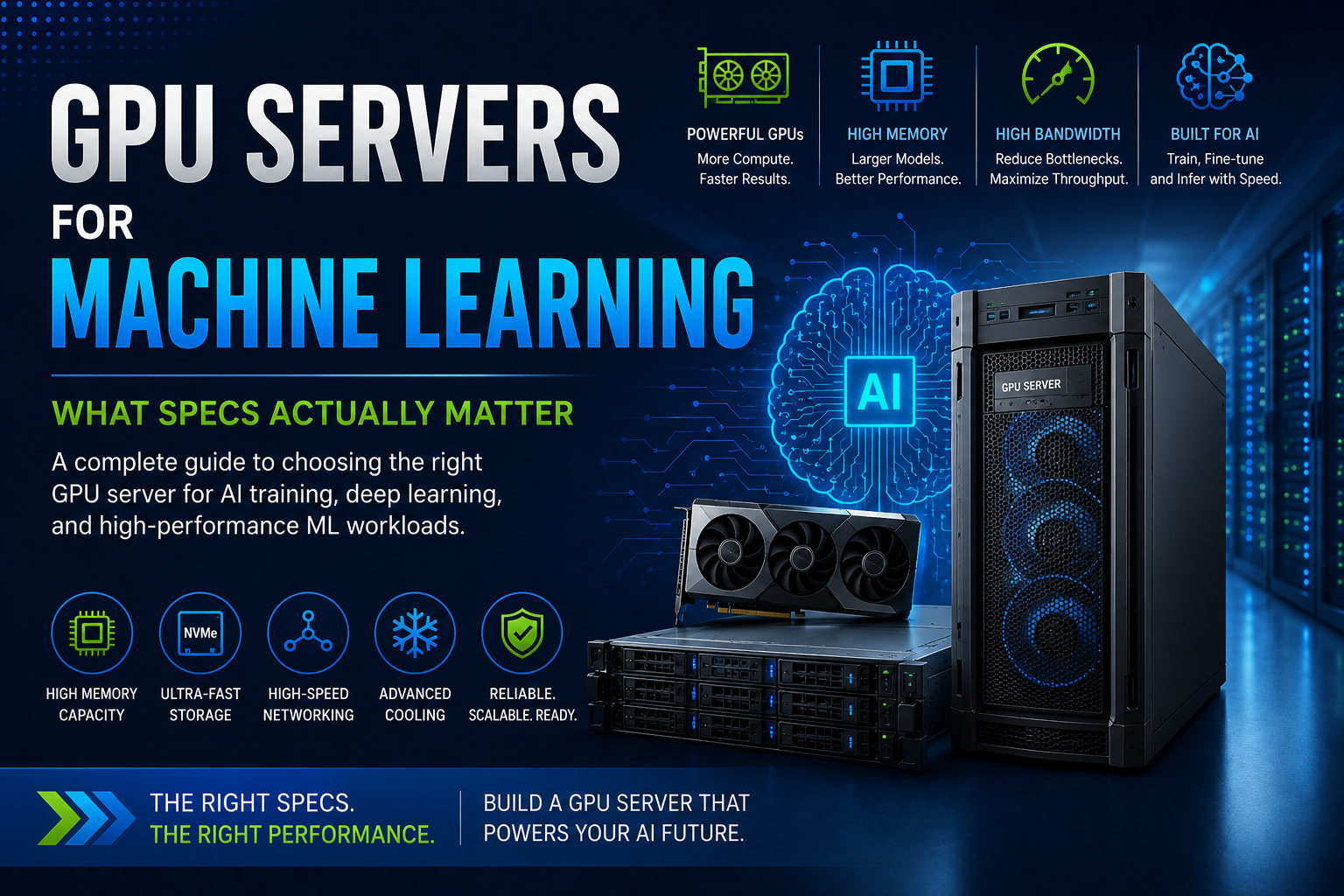
Choosing a GPU server for machine learning requires more than selecting a powerful graphics card. Learn which specifications actually affect AI training, inference, performance, and scalability.
Machine learning workloads are becoming increasingly demanding. Training large models, fine-tuning language models, running computer vision applications, and deploying AI inference systems can require significantly more computing power than traditional business applications.
This is where GPU servers for machine learning become important.
A GPU server combines powerful accelerators with CPUs, system memory, high-speed storage, networking, and specialized cooling to create an infrastructure platform capable of handling demanding AI workloads.
However, buying an AI server isn't simply about choosing the GPU with the highest performance number.
A powerful GPU can still perform poorly if the server doesn't have enough memory, storage bandwidth, PCIe connectivity, cooling, or networking capacity.
So, what specifications actually matter when choosing a machine learning server?
Let's break down the important components.
1. GPU Memory Is One of the Most Important Specifications
When selecting a GPU server, GPU memory, or VRAM, should be one of the first specifications you examine.
Machine learning models need to store weights, activations, datasets, and other information in memory while processing workloads. Larger models can quickly exceed the available memory of a GPU.
For example, NVIDIA's H200 provides 141GB of HBM3e memory, while the H100 SXM provides 80GB of HBM3. NVIDIA also lists 4.8TB/s of memory bandwidth for H200 compared with 3.35TB/s for H100 SXM.
More GPU memory can be especially useful for:
- Large language models
- Generative AI
- Model fine-tuning
- Large-batch training
- Computer vision
- Scientific computing
- High-resolution workloads
If a model doesn't fit efficiently into GPU memory, you may need additional GPUs or more complex parallelization strategies.
The takeaway: Don't choose a GPU based only on compute performance. Check its memory capacity first.
2. GPU Compute Performance Matters, But Numbers Need Context
GPU specifications can include FP32, FP16, BF16, FP8, INT8, Tensor Core performance, and other metrics.
These numbers can be useful, but they don't tell the entire story.
Machine learning frameworks and models can behave very differently depending on the precision and operations they use.
Modern AI workloads frequently take advantage of lower-precision calculations such as FP8, FP16, and BF16. NVIDIA's H100, for example, includes fourth-generation Tensor Cores and a Transformer Engine designed to accelerate AI workloads.
Therefore, when comparing GPUs, ask:
What precision does my workload actually use?
A GPU with impressive theoretical FP32 performance isn't necessarily the best choice for a deep-learning workload optimized for Tensor Cores.
3. Memory Bandwidth Can Become a Major Bottleneck
GPU memory capacity tells you how much data can be stored. Memory bandwidth determines how quickly that data can move.
This distinction becomes particularly important for large AI models and memory-intensive workloads.
NVIDIA's H200, for example, provides 4.8TB/s of memory bandwidth. NVIDIA has highlighted memory bandwidth as a key factor in workloads such as HPC and large-model inference.
If your workload spends significant time waiting for data, increasing raw compute power alone may not solve the problem.
For memory-bound machine learning applications, a GPU with greater memory bandwidth can provide a more meaningful performance improvement.
4. Don't Underestimate the Server CPU
It is easy to focus entirely on GPUs when building a machine learning server.
The CPU still matters.
The host processor handles tasks such as:
- Data preprocessing
- Application orchestration
- Dataset loading
- Networking
- Storage operations
- CPU-based calculations
- Feeding data to GPUs
A weak CPU can create a bottleneck where expensive GPUs sit idle waiting for data.
For multi-GPU servers, high-core-count CPUs with sufficient PCIe connectivity are particularly important.
NVIDIA's own guidance for deep-learning infrastructure recommends fast, high-core-count CPUs for data-center training systems.
Think of the CPU as the system coordinator and the GPUs as the primary accelerators. Both need to be appropriately sized.
5. System RAM Should Match Your Dataset
GPU memory isn't the only memory that matters.
Your server also needs sufficient system RAM.
Large datasets may need to be loaded, cached, transformed, or preprocessed before reaching the GPU.
Insufficient RAM can force the system to rely heavily on storage, increasing data-loading delays.
For machine learning servers, consider:
- Dataset size
- Number of GPUs
- Data preprocessing requirements
- Number of concurrent jobs
- Virtualization requirements
- Future workload growth
The appropriate amount varies considerably by application, but AI servers often require substantially more system memory than ordinary business servers.
For example, NVIDIA's DGX H200 system uses 2TB of DDR5 system memory alongside eight H200 GPUs.
That illustrates an important point: a high-end AI server is a balanced system rather than simply a collection of powerful GPUs.
6. PCIe Configuration Is Critical in Multi-GPU Servers
Once you move beyond one GPU, server architecture becomes increasingly important.
Multiple GPUs need sufficient PCIe connectivity and bandwidth to communicate with the rest of the system.
You should examine:
- PCIe generation
- Number of PCIe lanes
- CPU-to-GPU topology
- GPU-to-GPU connectivity
- PCIe switches
- Network adapter placement
- Storage connectivity
Modern AI platforms can also use NVLink and NVSwitch to provide much higher-speed GPU-to-GPU communication than traditional PCIe connections.
NVIDIA's HGX H100 platform, for example, uses NVSwitch to connect multiple GPUs and provide high-bandwidth GPU-to-GPU communication.
For multi-GPU machine learning, the topology can be just as important as the individual GPU specifications.
7. NVLink Matters for Large Multi-GPU Workloads
If you're building a server with several high-end GPUs, check whether your workload benefits from GPU-to-GPU interconnect technology.
NVLink can significantly increase communication bandwidth between supported GPUs.
This can be valuable for:
- Large language model training
- Distributed deep learning
- Large-model inference
- Scientific simulations
- Multi-GPU HPC
- Model parallelism
For example, NVIDIA specifies up to 900GB/s of NVLink bandwidth for H200 SXM and H100 SXM GPUs.
A server with four or eight GPUs therefore needs more than just enough physical slots. The GPUs need to be connected in a way that supports the intended workload.
8. Storage Speed Can Affect Training Time
Machine learning servers frequently work with very large datasets.
If storage can't deliver data quickly enough, the GPUs may spend time waiting instead of processing.
For training environments, high-performance NVMe SSD storage can be particularly useful.
Look at:
- NVMe support
- Storage bandwidth
- Sequential read performance
- Random I/O performance
- RAID requirements
- Dataset size
- Local versus shared storage
NVIDIA's guidance for data-center deep-learning training recommends high-bandwidth NVMe storage, with storage configured around the CPU architecture.
For large AI clusters, storage may also be connected through high-speed networking rather than being entirely local to each server.
9. Networking Becomes Important When You Have Multiple Servers
A single GPU server can operate with conventional high-speed Ethernet, depending on the workload.
But once multiple servers participate in distributed training, networking becomes much more important.
Large AI systems can move enormous amounts of data between GPUs and nodes.
Depending on the deployment, you may need:
- High-speed Ethernet
- InfiniBand
- RDMA
- High-bandwidth network adapters
- Low-latency switching
- Multiple network interfaces
NVIDIA's H100 and H200 infrastructure platforms support high-speed networking designed for large-scale AI and HPC environments.
For distributed machine learning, network performance can become a major factor in overall training efficiency.
10. Power Requirements Are Easy to Overlook
High-performance GPUs consume significant power.
For example, NVIDIA lists H200 SXM with configurable TDP up to 700W, while H100 SXM is also configurable up to 700W.
Now consider a server containing four or eight GPUs.
The total system power can become substantial after adding:
- CPUs
- Memory
- Storage
- Network adapters
- Fans
- Motherboard components
- Redundant power supplies
Before purchasing a GPU server, make sure the data center or server room can provide sufficient electrical capacity.
11. Cooling Is Just as Important as Power
More performance means more heat.
A GPU server needs an appropriate thermal design to maintain performance under sustained workloads.
Poor cooling can result in:
- Thermal throttling
- Reduced performance
- Increased component wear
- Higher fan speeds
- Greater power consumption
- Unexpected system instability
High-density AI servers may require specialized airflow or liquid-cooling technologies depending on the GPU configuration.
This is why you should never install high-power GPUs into a server without verifying that the chassis, power supplies, fans, and cooling system are designed to support them.
12. Choose the Right GPU for the Workload
Not every machine learning workload requires the most expensive accelerator.
A server designed for basic inference has very different requirements from a large-model training platform.
For AI training
Prioritize:
- High GPU memory
- High memory bandwidth
- Strong Tensor Core performance
- Multiple GPU support
- NVLink or equivalent interconnect
- High-speed networking
- Fast storage
For AI inference
Focus on:
- GPU memory
- Inference throughput
- Latency
- Power efficiency
- Model size
- Number of simultaneous users
- Deployment environment
For computer vision
Consider:
- GPU compute
- Tensor Core performance
- Memory
- Video processing capability
- Storage
- Network connectivity
For smaller machine learning workloads
You may not need an eight-GPU system. A single or dual-GPU server can provide a better balance between performance, cost, and power consumption.
13. Software Compatibility Matters
Hardware isn't enough.
Your GPU server needs to work with the software ecosystem used by your machine learning team.
Check compatibility with:
- CUDA
- cuDNN
- PyTorch
- TensorFlow
- NVIDIA drivers
- Container platforms
- Kubernetes
- AI frameworks
- Model-serving software
NVIDIA also provides enterprise software technologies designed to simplify production AI deployment. Its H200 platform, for example, supports NVIDIA AI Enterprise and NVIDIA NIM for enterprise AI workloads.
Before purchasing hardware, verify that your intended software stack supports the selected GPU and server configuration.
14. Scalability Should Be Part of the Buying Decision
A machine learning project can grow quickly.
A development server might start with one or two GPUs, while production workloads eventually require several servers.
Think about future expansion before buying.
Ask:
- Can more GPUs be added?
- Is there enough PCIe capacity?
- Can system RAM be expanded?
- Can storage be upgraded?
- Does the networking architecture support expansion?
- Can the server integrate into a GPU cluster?
Buying a server that has no practical upgrade path can result in another hardware purchase sooner than expected.
New GPU Server vs Refurbished GPU Server
Businesses don't always need to purchase a completely new server.
A refurbished enterprise server can sometimes be a cost-effective platform for machine learning development, testing, inference, or less demanding GPU workloads.
However, high-end GPU deployments require careful compatibility checks.
Before installing or purchasing a GPU for a refurbished server, verify:
- GPU support
- Power supply capacity
- PCIe configuration
- Cooling
- Physical clearance
- Firmware compatibility
- GPU driver support
For demanding AI training environments, a purpose-built and certified GPU server may be preferable.
How to Choose a GPU Server for Machine Learning
Before making a purchase, start with the workload rather than the GPU model.
Ask yourself:
What model will I run?
A small computer-vision model and a large language model can have dramatically different requirements.
How much GPU memory is needed?
Determine whether your model and expected batch size can fit comfortably.
Training or inference?
Training usually requires more compute, memory, storage bandwidth, and networking than a simple inference deployment.
How many GPUs are required?
Start with the smallest configuration that can meet your performance requirements while leaving room for growth.
Where will the server operate?
Consider rack space, electricity, cooling, noise, and physical infrastructure.
What is the expected workload growth?
Your requirements six months from now may be very different from today's requirements.
Final Verdict
The best GPU server for machine learning isn't necessarily the server with the most expensive GPU.
A well-designed AI server needs balanced performance across the entire platform.
The GPU matters, but so do GPU memory, memory bandwidth, CPU performance, system RAM, PCIe topology, NVLink, storage, networking, power, cooling, and software compatibility.
For large-scale AI training and inference, high-end accelerators such as NVIDIA H100 and H200 can provide substantial capabilities. NVIDIA's current H200 specifications demonstrate why memory capacity and bandwidth deserve particular attention: 141GB of HBM3e and 4.8TB/s of memory bandwidth can be valuable for large and memory-intensive workloads.
For smaller deployments, however, buying the most powerful GPU available may create unnecessary costs.
Start with your model, calculate the resources it actually needs, and then build the server around those requirements.
That approach can help you achieve better performance, lower infrastructure costs, and a more scalable machine learning environment.
Frequently Asked Questions
What is a GPU server for machine learning?
A GPU server is a high-performance computing system equipped with one or more GPUs designed to accelerate workloads such as machine learning, deep learning, AI inference, computer vision, and scientific computing.
What GPU specifications matter most for machine learning?
The most important specifications generally include GPU memory, memory bandwidth, Tensor Core or accelerator performance, interconnect technology, power consumption, and compatibility with your machine learning framework.
How much GPU memory do I need for machine learning?
It depends on the model and workload. Smaller models may work with modest GPU memory, while large language models and generative AI applications can require GPUs with tens or more than 100GB of high-bandwidth memory.
Is GPU memory more important than GPU speed?
Neither is universally more important. A workload can be limited by compute performance, memory capacity, or memory bandwidth. Understanding your specific model is essential before choosing a GPU.
Do machine learning servers need powerful CPUs?
Yes. CPUs handle data preparation, storage operations, networking, orchestration, and other tasks that support the GPUs. NVIDIA recommends fast, high-core-count CPUs for data-center training environments.
How much RAM should an AI server have?
The amount depends on dataset size, number of GPUs, preprocessing requirements, and workload concurrency. Large AI systems can require hundreds of gigabytes or even terabytes of system memory.
Is NVLink important for machine learning?
NVLink can be very important for multi-GPU workloads where GPUs need to exchange large amounts of data. It can provide substantially higher GPU-to-GPU bandwidth than conventional PCIe connections on supported platforms.
Do AI servers need fast storage?
Yes. Fast NVMe storage can help supply training data to GPUs efficiently and reduce storage-related bottlenecks. NVIDIA recommends high-bandwidth NVMe storage for data-center training environments.
How many GPUs should a machine learning server have?
It depends on the workload. Development and smaller inference applications may only require one or two GPUs, while large model training can benefit from four, eight, or more GPUs connected through high-speed interconnects.
Is H200 better than H100 for machine learning?
H200 has substantially more GPU memory and memory bandwidth than H100 SXM, making it particularly attractive for large and memory-intensive AI workloads. Whether it is faster for your application depends on the workload and software configuration.
What should I check before buying a GPU server?
Check GPU memory, GPU performance, CPU, system RAM, PCIe topology, GPU interconnect, storage, networking, power supplies, cooling, server compatibility, software support, and future expansion capacity.