Dell PowerEdge Server Specifications Guide 2026
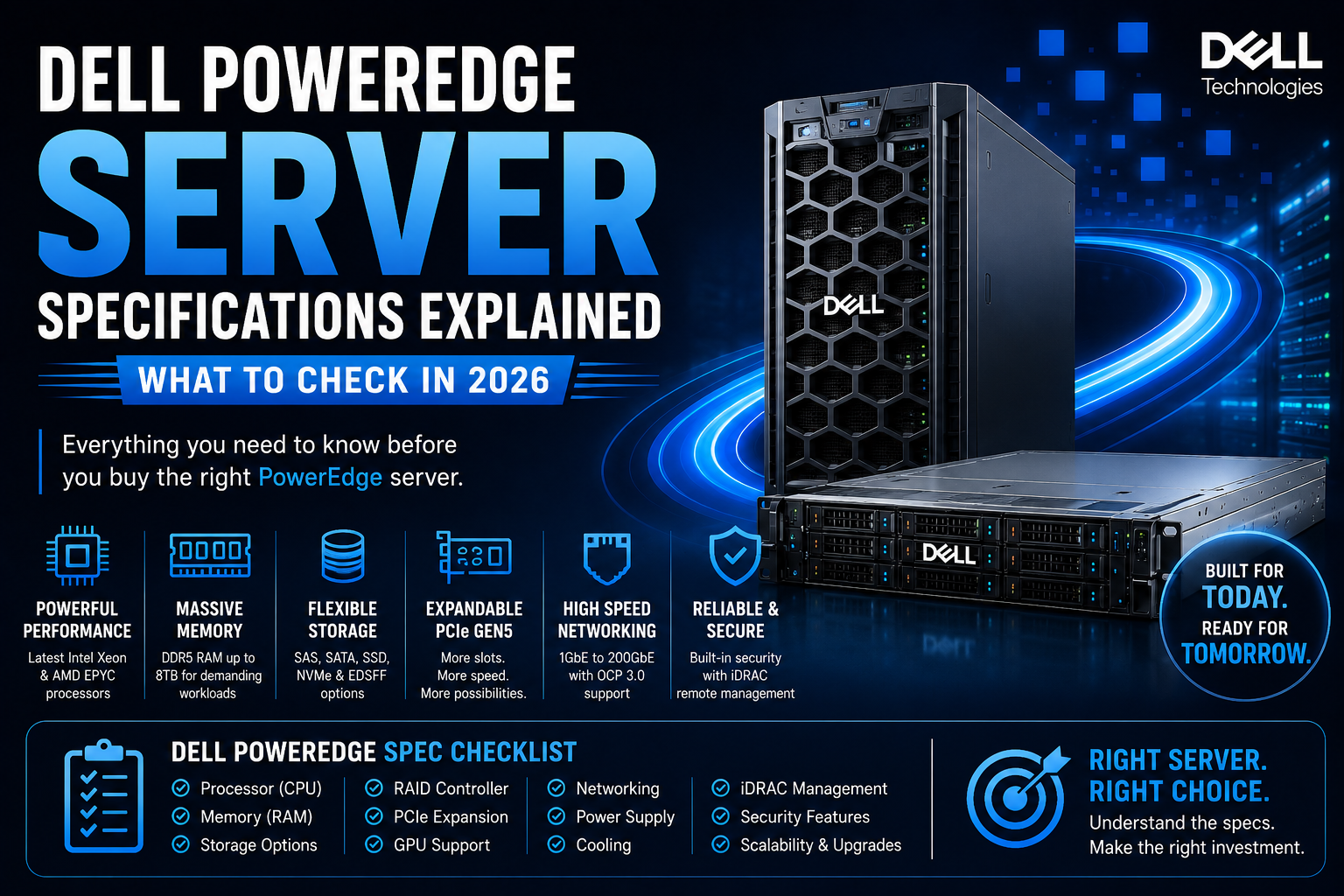
Buying a Dell PowerEdge server? Learn which specifications matter most, including processors, RAM, storage, RAID, PCIe, networking, GPUs, power, cooling and iDRAC.
Choosing a Dell PowerEdge Server is not simply about picking a model with the highest processor count or the largest amount of RAM.
A server specification needs to match the workload it will actually run.
A small business file server, virtualization host, database server and AI infrastructure can all require completely different configurations. In 2026, the Dell PowerEdge portfolio includes compact 1U systems, expandable 2U platforms, AMD and Intel-based servers, high-capacity storage systems and GPU-capable configurations.
That makes understanding the specification sheet particularly important before purchasing.
This guide explains the most important Dell PowerEdge server specifications to check and how to determine which configuration makes sense for your business.
Why Dell PowerEdge Specifications Matter
The model name only tells you part of the story.
For example, the PowerEdge R660 is a 1U, two-socket platform, while the PowerEdge R760 is a 2U, two-socket system with substantially more room for expansion and storage. Dell positions the R660 toward workloads such as high-performance simulation, OLTP and all-flash storage, while the R760 is positioned for scale-out workloads, virtualization and AI.
Before buying, consider:
- What applications will run on the server?
- How many users will access it?
- How much RAM is required?
- How much storage is needed?
- Will virtualization be used?
- Are GPUs required?
- How much networking bandwidth is necessary?
- How much will the workload grow over the next few years?
Answering these questions first makes it much easier to select the right PowerEdge configuration.
1. Check the Dell PowerEdge Processor
The processor is one of the first specifications to examine.
Depending on the PowerEdge generation and model, Dell offers systems using Intel Xeon or AMD EPYC processors.
For example, Dell's current PowerEdge R770 is a 2U, two-socket platform using Intel Xeon 6 processors, with configurations supporting up to 144 E-cores or 86 P-cores per processor.
Other PowerEdge systems use AMD EPYC processors. Dell's current portfolio includes models such as the R6625, R7625, R6725 and R7725 for workloads including virtualization, VDI and HPC.
Don't look at core count alone
Check:
- Processor generation
- Number of CPU sockets
- Core count
- Clock frequency
- Cache
- CPU power requirements
- Supported memory speed
- Virtualization requirements
A high-core-count processor isn't automatically the best option.
A database may benefit from a different CPU configuration than a virtualization cluster or an AI server.
2. Check Maximum RAM
Memory can become a major performance limitation when a server is running multiple applications or virtual machines.
Modern PowerEdge systems use DDR5 memory, with the maximum capacity depending on the model and processor configuration.
For example, Dell lists the R660 with 32 DDR5 DIMM slots and up to 8TB of RDIMM memory. The R760 also provides 32 DDR5 DIMM slots and can scale to 8TB in supported configurations.
The newer R770 likewise supports 32 DDR5 DIMM slots and up to 8TB of RDIMM memory, with memory speeds reaching up to 6400 MT/s depending on configuration.
When checking RAM, look at
- Maximum capacity
- DIMM slot count
- DDR5 support
- RDIMM compatibility
- Memory speed
- CPU memory channels
- Supported DIMM capacities
- Upgrade potential
Don't automatically buy the maximum RAM configuration.
Instead, estimate what your applications need today and leave enough capacity for future expansion.
3. Understand Server Storage
Storage can have a major effect on application performance.
Dell PowerEdge servers support different combinations of:
- HDD
- SATA SSD
- SAS SSD
- NVMe SSD
- EDSFF NVMe
- M.2 boot storage
The exact configuration depends on the server.
For example, the R660 supports combinations of 2.5-inch SAS, SATA and NVMe drives, as well as E3.S Gen5 NVMe configurations. Dell lists storage capacities that vary significantly depending on the selected drive-bay configuration.
The R770 offers even greater NVMe flexibility, with configurations supporting up to 40 EDSFF E3.S Gen5 NVMe drives and multiple other storage layouts.
Choose storage according to workload
HDD
Useful for:
- Large file repositories
- Archives
- Backup
- Surveillance
- Capacity-focused workloads
SSD
Useful for:
- Applications
- Databases
- Virtual machines
- Frequently accessed data
NVMe SSD
Useful for:
- High-performance databases
- AI workloads
- Analytics
- High-IOPS applications
- Performance-sensitive virtualization
4. Check the RAID Controller
If you're configuring multiple drives, check the RAID controller before buying.
Dell PowerEdge systems can support different PERC controllers and HBAs depending on the model.
The R660, for example, supports controllers including PERC H965i, H755, H755N, H355 and HBA355i, with external controller options also available.
The correct RAID configuration depends on what you're trying to achieve.
RAID can provide:
- Drive redundancy
- Improved availability
- Increased read performance
- Improved write performance in certain configurations
However, remember that RAID is not a backup.
A separate backup strategy is still required even when the server has redundant storage.
5. Check PCIe Expansion
PCIe slots determine how much additional hardware you can install.
This becomes particularly important if you plan to add:
- GPUs
- Network adapters
- Fibre Channel cards
- Storage controllers
- NVMe adapters
- Accelerator cards
The R660 provides up to three PCIe slots, including PCIe Gen5 options.
The R760 provides up to eight PCIe slots depending on configuration, giving it substantially more expansion flexibility.
Before buying, don't just count the slots.
Check the slot generation, lane width, physical size and supported device configuration.
6. Check GPU Support
If you're buying a PowerEdge server for AI, machine learning, rendering or other accelerator-based workloads, GPU compatibility becomes critical.
Not every PowerEdge model supports the same GPU configuration.
You need to verify:
- Supported GPU models
- Number of GPUs
- GPU power requirements
- GPU form factor
- PCIe topology
- Cooling
- PSU requirements
- Supported firmware
Dell's PowerEdge portfolio includes dedicated AI-capable systems, while models such as the R760 support accelerator configurations depending on the selected hardware.
If you're planning an H100, H200, L40S or another high-performance GPU configuration, always verify the exact Dell-supported configuration instead of assuming that a standard PowerEdge chassis will support it.
7. Check Networking
Networking requirements depend heavily on the workload.
A basic office server may work perfectly with conventional Ethernet.
A virtualization cluster, AI environment or high-performance storage system may require much faster networking.
Depending on the PowerEdge model and configuration, networking options can include:
- 1GbE
- 10GbE
- 25GbE
- 100GbE
- Higher-speed networking
- OCP 3.0 adapters
Dell's current PowerEdge portfolio provides OCP 3.0 options on several platforms.
For a server that will be upgraded later, networking should be considered as part of the long-term configuration rather than an afterthought.
8. Check Dell iDRAC
One of the most useful features of PowerEdge servers is Integrated Dell Remote Access Controller, commonly known as iDRAC.
iDRAC allows administrators to remotely monitor and manage server hardware.
Depending on the configuration and license, capabilities can include:
- Hardware monitoring
- Remote power control
- Server health monitoring
- Firmware management
- Remote troubleshooting
- Hardware inventory
- Telemetry
Dell's current documentation continues to provide iDRAC9 management resources for PowerEdge systems.
For businesses without an IT administrator physically located beside the server, remote management can be particularly valuable.
9. Check Power Supply Requirements
Power requirements can change dramatically depending on the configuration.
A basic two-CPU server with several drives has very different power requirements from a GPU-equipped AI server.
The R660, for example, supports redundant hot-swappable power supplies including 700W Titanium and 800W Platinum options, depending on configuration.
The R760 provides higher-capacity options, including 1100W and 1400W power supplies, among others.
When selecting a PSU, consider:
- CPU power
- GPU power
- Number of drives
- Network adapters
- Future expansion
- Redundancy requirements
- Data-center power availability
10. Don't Ignore Cooling
Performance isn't only about CPU and GPU specifications.
High-performance hardware generates significant heat.
Cooling becomes particularly important when configuring:
- Multiple CPUs
- High-core-count processors
- GPUs
- NVMe storage
- High-speed networking
- Dense rack configurations
The R660, for example, can use multiple fan modules, while larger systems such as the R760 provide additional cooling capacity depending on configuration.
If you're building a high-density AI server, power and cooling should be evaluated together.
11. Check the Server Form Factor
PowerEdge servers come in different physical sizes.
1U servers
A 1U server takes less rack space and can be useful when rack density is important.
The R660 is a 1U, two-socket server.
2U servers
A 2U platform generally provides more room for storage, expansion and accelerators.
The R760 and R770 are 2U, two-socket systems.
Tower servers
Dell also offers PowerEdge tower platforms for small businesses and remote offices.
If your organization doesn't have a traditional server rack, a tower server may be a more practical option.
12. Check Operating-System and Virtualization Support
Before purchasing a PowerEdge server, verify that your intended operating system and virtualization platform are supported.
Dell lists support for platforms such as:
- Windows Server
- Ubuntu Server
- Red Hat Enterprise Linux
- SUSE Linux Enterprise Server
- VMware ESXi
The exact support varies by PowerEdge model and configuration.
If you plan to run VMware, Hyper-V or another hypervisor, also consider CPU virtualization features, memory capacity, storage performance and networking.
13. Check Security Features
Enterprise servers need more than operating-system security.
PowerEdge systems include hardware and firmware security capabilities.
The R660, for example, lists features including:
- Secure Boot
- Secure Erase
- Silicon Root of Trust
- Cryptographically signed firmware
- TPM 2.0
- System Lockdown
- Secured Component Verification
depending on configuration and licensing.
These features can help protect the server from unauthorized firmware changes and other infrastructure-level threats.
14. Check Future Expansion
One of the biggest mistakes when buying a server is configuring it only for today's requirements.
Your business may need more:
- RAM
- Storage
- Network bandwidth
- GPUs
- Processing power
two or three years later.
Before purchasing, ask:
Can I upgrade this server without replacing the entire platform?
Check the number of free DIMM slots, drive bays, PCIe slots, PSU capacity and supported processors.
A slightly more expandable server can sometimes provide better long-term value than a cheaper configuration with no room to grow.
Which Dell PowerEdge Specification Matters Most?
There isn't one specification that matters most for every workload.
For virtualization
Focus on:
- CPU cores
- RAM
- NVMe/SSD storage
- Networking
- Expansion
For databases
Prioritize:
- CPU performance
- RAM
- Low-latency storage
- RAID
- Network performance
For file storage
Focus on:
- Drive capacity
- RAID
- Storage expansion
- Network connectivity
- Backup
For AI
Prioritize:
- GPU compatibility
- GPU memory
- CPU
- System RAM
- PCIe
- Networking
- Power
- Cooling
For small businesses
Look for:
- Balanced CPU
- Sufficient RAM
- Reliable storage
- Remote management
- Redundant power
- Future upgrade options
New vs Refurbished Dell PowerEdge Servers
Businesses don't always need to purchase the newest server generation.
A properly tested and professionally refurbished Dell PowerEdge server can be an option for businesses with a limited budget.
Refurbished systems can be suitable for:
- File servers
- Backup
- Development
- Testing
- Secondary infrastructure
- Small virtualization environments
However, always check the actual configuration.
Verify:
- Processor model
- RAM capacity
- Drive health
- RAID controller
- Network cards
- Power supplies
- Firmware
- Warranty
- Upgrade options
A refurbished PowerEdge model with the right configuration can sometimes provide better value than a newer system with insufficient resources.
Dell PowerEdge Server Specification Checklist
Before buying, check these areas:
Processor
CPU generation, cores, frequency, sockets and workload compatibility.
Memory
DDR5 support, DIMM slots, capacity, speed and upgrade potential.
Storage
HDD, SAS, SATA SSD, NVMe, EDSFF and drive-bay capacity.
RAID
Controller model, supported RAID levels and drive compatibility.
Expansion
PCIe generation, lane width, number of slots and accelerator support.
Networking
Network speed, OCP support, network adapters and future bandwidth requirements.
Management
iDRAC version, remote management and monitoring capabilities.
GPU
Supported models, quantity, power, cooling and PCIe configuration.
Power
PSU wattage, efficiency and redundancy.
Cooling
Fan configuration, airflow and thermal requirements.
Security
TPM, Secure Boot, firmware protection and hardware security.
Form Factor
1U, 2U or tower depending on your environment.
Final Verdict
The best Dell PowerEdge server isn't necessarily the one with the highest specification.
It's the one that provides the right balance between performance, storage, scalability, reliability and cost.
Dell's current PowerEdge portfolio includes platforms ranging from compact SMB and remote-office systems to high-performance 1U and 2U servers designed for virtualization, AI, analytics and HPC. Current models also span Intel Xeon 6, 5th-generation Intel Xeon Scalable and AMD EPYC platforms, depending on the server family.
Before purchasing, start with the workload.
Then select the processor, memory, storage, RAID, networking, GPU, power and expansion configuration around that workload.
Don't buy a server based only on its model number. Check the complete specification.
That is the best way to build a Dell PowerEdge configuration that performs well today and remains useful as your business grows.
Frequently Asked Questions
What Dell PowerEdge specifications should I check before buying?
The most important specifications include CPU, RAM, storage, RAID, PCIe expansion, networking, GPU compatibility, power supply, cooling, security and iDRAC management.
Which Dell PowerEdge server is best for virtualization?
The right model depends on the number of virtual machines and required resources. Dell positions systems such as the R760 for virtualization and high-performance workloads, while other PowerEdge models are designed for different levels of VM density.
How much RAM can a Dell PowerEdge server support?
It depends on the model. Current PowerEdge platforms such as the R660, R760 and R770 can support up to 8TB of RAM in supported configurations.
Does Dell PowerEdge support NVMe?
Yes. Many current PowerEdge servers support NVMe, including PCIe Gen5 and EDSFF configurations on selected models. The exact number of drives depends on the server configuration.
Which is better for a server, SSD or HDD?
SSD is generally better for applications requiring low latency and high IOPS, while HDD remains useful for large-capacity storage, archives and backups.
Can Dell PowerEdge servers support GPUs?
Yes, selected PowerEdge models support GPUs and other accelerators. The number and type of GPUs depend on the specific server, chassis, power supply and cooling configuration.
What is iDRAC in a Dell PowerEdge server?
iDRAC is Dell's Integrated Dell Remote Access Controller. It provides remote hardware management, monitoring and administration capabilities.
Is a 1U or 2U PowerEdge server better?
Neither is universally better. A 1U server can save rack space, while a 2U server generally provides more room for storage, expansion and accelerators. The R660 is 1U, while the R760 and R770 are 2U platforms.
Should I buy a new or refurbished Dell PowerEdge server?
New hardware is preferable when you need current-generation technology, a longer lifecycle and current warranty coverage. Refurbished PowerEdge servers can be attractive for budget-conscious workloads when the hardware has been properly tested and the exact configuration is verified.
What should I check before buying a refurbished Dell PowerEdge server?
Check the exact CPU, RAM, drive condition, RAID controller, network cards, PSU configuration, firmware, iDRAC, warranty and available upgrade options.
Which Dell PowerEdge server is best for AI?
The right model depends on the GPU, model size, inference or training workload, GPU count, memory, networking, power and cooling requirements. Dell's PowerEdge portfolio includes dedicated AI-capable configurations, so GPU compatibility should be checked before choosing the server.
How do I choose the right Dell PowerEdge server?
Start with your workload and determine CPU, RAM, storage, networking, GPU and expansion requirements. Then compare the exact PowerEdge configuration rather than choosing solely by model name.