Dell PowerEdge Servers: Which Series Fits Your Workload?
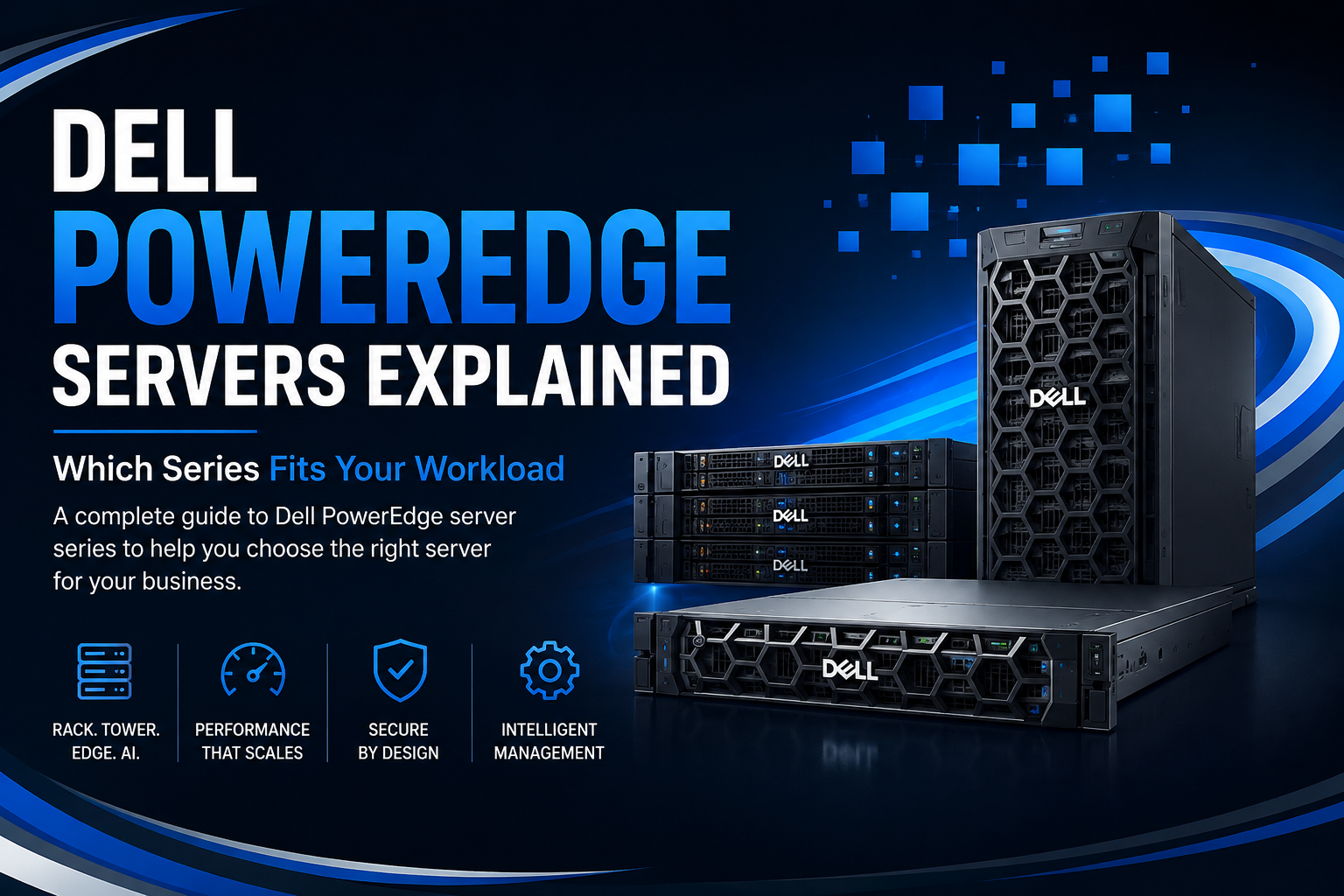
Choosing a Dell PowerEdge server can be easier when you start with the workload. Explore R-Series, T-Series, XE-Series, XR-Series, and other PowerEdge options to find the right fit for your business.
Choosing a server isn't simply about finding the highest processor count or the largest amount of RAM. The right server needs to match what your business actually does.
A small office running file sharing and business applications has very different requirements from a data center running hundreds of virtual machines. An AI environment needs powerful accelerators and high-bandwidth infrastructure, while an edge deployment may prioritize compact dimensions, ruggedness, and remote management.
This is where the Dell PowerEdge Server portfolio becomes useful. Dell offers different PowerEdge families designed around different infrastructure requirements, including traditional rack computing, tower deployments, AI and GPU acceleration, and edge environments.
So, which Dell PowerEdge server should you choose?
The answer starts with your workload.
What Are Dell PowerEdge Servers?
Dell PowerEdge is a family of enterprise and business servers designed for a broad range of computing environments.
Depending on the model, PowerEdge servers can be used for:
- Virtualization
- Databases
- Cloud infrastructure
- File and application servers
- Data analytics
- AI and machine learning
- High-performance computing
- Storage-intensive workloads
- Edge computing
- Small and medium-sized businesses
Dell's current portfolio includes R-Series, T-Series, XE-Series, XR-Series, and M-Series platforms, with each family targeting a different type of deployment.
The important thing is not to select a server simply because it is a PowerEdge. You need to select the PowerEdge platform that matches your workload, physical environment, expansion requirements, and budget.
Dell PowerEdge R-Series: The Data Center Workhorse
The R-Series is generally the first PowerEdge family businesses consider when looking for rack servers.
These systems are designed for traditional data center workloads and are available in different sizes and configurations. Dell positions the R-Series for applications including virtualization, databases, high-performance computing, analytics, and other enterprise workloads.
Popular examples include models such as the PowerEdge R660, R760, R660xs, R760xs, R760xd2, R6625, and R7625.
Who should choose an R-Series server?
R-Series servers are a strong option for organizations that need:
- Virtualization hosts
- Enterprise applications
- Databases
- Private cloud infrastructure
- High-density computing
- Data analytics
- Software-defined storage
- Business-critical applications
For example, Dell lists the R760 for high-performance scale-out, virtualization, and AI workloads, while the R760xs is positioned toward virtualization, medium-density VMs, VDI, and software-defined storage.
R660 vs R760
One of the simplest ways to understand the R-Series is by looking at rack size and expansion requirements.
The PowerEdge R660 is a 1U rack server designed for high-performance computing, simulation, modeling, OLTP, and all-flash software-defined storage. The PowerEdge R760 is a 2U platform with more physical space for expansion and storage, making it suitable for high-performance scale-out, virtualization, and AI.
If rack space is extremely important, a 1U platform can be attractive. If you need more expansion and storage flexibility, a 2U system may be the better choice.
Dell PowerEdge T-Series: Ideal for Offices and SMBs
Not every business has a dedicated data center.
For organizations operating servers in an office, branch location, or smaller IT room, a tower server can be easier to deploy.
That's where the PowerEdge T-Series comes in.
Dell describes the T-Series as compact enterprise servers designed for offices and small and medium-sized businesses.
Current options include systems such as the PowerEdge T360 and T560, with different configurations designed for traditional business applications, private cloud, virtualization, and SMB environments.
T-Series is suitable for:
- File sharing
- Print services
- Business applications
- Small databases
- Collaboration
- Point-of-sale systems
- Small virtualization environments
- Branch-office infrastructure
- Private cloud deployments
For example, Dell positions the PowerEdge T560 for SMB applications, traditional business applications, private cloud, and virtualization.
If you don't need a rack-mounted infrastructure, a tower PowerEdge can be a practical choice.
Dell PowerEdge XE-Series: Built for AI and Accelerated Computing
AI workloads have changed what businesses expect from server hardware.
Traditional CPU-only servers may not be sufficient for demanding AI training and inference workloads. These environments can require multiple GPUs or other accelerators, substantial memory, high-speed networking, and specialized cooling.
The PowerEdge XE-Series is Dell's purpose-built family for AI and GPU-accelerated computing. Dell describes XE systems as being designed for AI and high-performance computing with high-density GPU support and advanced cooling.
Current PowerEdge XE platforms include systems such as the XE7740, XE7745, XE8640, XE9680, XE9680L, and XE9685L.
Depending on the model, these systems target:
- Generative AI
- Machine learning
- AI inference
- AI training
- Natural language processing
- High-performance computing
- Scientific research
- Data analytics
For example, Dell lists the XE7740 for generative AI fine-tuning, inference, natural language processing, digital twins, and agentic AI.
The XE9680 is positioned for AI and machine learning, large-dataset deep learning training, HPC, healthcare, and other accelerated workloads. Dell lists support for configurations involving NVIDIA H100/H200, AMD MI300X, and Intel Gaudi 3 accelerators.
Who needs an XE-Series server?
If your primary requirement is AI training, GPU-accelerated workloads, or large-scale inference, the XE-Series deserves attention before standard-purpose server platforms.
Dell PowerEdge XR-Series: For Edge Environments
Traditional data centers provide controlled temperature, power, networking, and physical security.
Edge locations can be very different.
Manufacturing facilities, telecommunications sites, retail locations, remote facilities, and field operations may need computing closer to where data is generated.
The PowerEdge XR-Series is designed for these environments. Dell describes XR systems as ruggedized servers intended for edge deployments and challenging operating conditions.
Dell's XR portfolio includes models such as the XR5610 and XR7620, which are positioned for workloads including network edge, manufacturing, machine vision, AI inference, and workload consolidation.
Consider XR-Series when you need:
- Edge computing
- Manufacturing workloads
- Network infrastructure
- AI inference at the edge
- Retail computing
- Remote deployments
- Field operations
- Ruggedized infrastructure
If your server will operate outside a conventional data center, environmental requirements should be considered before raw performance.
Dell PowerEdge M-Series: Modular Infrastructure
The M-Series takes a different approach.
Rather than focusing on a traditional standalone rack or tower configuration, modular PowerEdge systems are designed for rack-scale environments.
Dell identifies the M-Series as part of its PowerEdge family for modular infrastructure.
This type of infrastructure can be attractive for organizations that want centralized, dense computing with shared infrastructure and streamlined management.
However, modular systems make the most sense when the organization's infrastructure strategy is designed around that architecture.
Which Dell PowerEdge Series Is Best for Virtualization?
Virtualization is one of the most common enterprise server workloads.
If you're planning to run VMware, Hyper-V, or another virtualization platform, the R-Series will usually be one of the first families to evaluate.
The right configuration depends on:
- Number of virtual machines
- CPU utilization
- RAM requirements
- Storage performance
- Network bandwidth
- High-availability requirements
- Future VM growth
For example, Dell positions the R760 and R760xs toward virtualization workloads, while the AMD-based R6625 is positioned for dense VDI and virtualization.
For smaller virtualization environments, a tower PowerEdge such as the T560 may also make sense where rack infrastructure isn't required.
Which PowerEdge Server Is Best for Storage?
Storage-heavy applications require a different approach.
If your workload involves large quantities of files, backups, surveillance data, object storage, or software-defined storage, examine drive-bay capacity as carefully as CPU performance.
Dell lists the R760xd2 for object storage, file storage, video surveillance, and analytics, with substantially greater storage capacity than many general-purpose configurations.
For storage-intensive deployments, pay close attention to:
- Number of drive bays
- HDD vs SSD requirements
- NVMe support
- RAID controller
- Storage networking
- Expansion options
- Backup strategy
A server with more CPU performance isn't automatically better if storage is your primary bottleneck.
Which Dell PowerEdge Server Is Best for AI?
For serious AI workloads, start with the XE-Series.
These systems are specifically designed around accelerated computing and high-density GPU configurations.
However, not every AI workload requires a large GPU server.
For lighter AI inference, analytics, or mixed enterprise workloads, certain R-Series systems with GPU support may be sufficient. Dell's R760xa, for example, is positioned for AI, machine learning, deep-learning training and inference, HPC, rendering, and virtualization.
The right choice depends on:
AI training:
Look for high accelerator density, memory bandwidth, networking, and cooling.
AI inference:
Focus on latency, accelerator requirements, model size, and deployment location.
Mixed workloads:
A general-purpose R-Series server with accelerator support may offer greater flexibility.
What About Small and Medium Businesses?
Small businesses shouldn't automatically buy a large rack server.
If your requirements include file sharing, business applications, collaboration, small databases, or a modest virtualization environment, a PowerEdge T-Series may provide the right balance.
Tower servers can also be easier to deploy where a dedicated server rack isn't available.
For larger SMB environments with growing virtualization requirements, a rack-based R-Series system may offer better expansion and density.
Dell PowerEdge Server Security and Management
Performance isn't the only factor that matters.
Modern servers also need strong security and manageable lifecycle operations.
Dell states that PowerEdge integrates technologies such as Silicon Root of Trust and supports Zero Trust principles. Dell also uses iDRAC and OpenManage for server monitoring, deployment, updates, and lifecycle management.
For IT teams managing multiple servers, remote management can reduce the need for physical intervention and make routine administration easier.
When comparing servers, therefore, consider both the hardware and the management ecosystem.
How to Choose the Right Dell PowerEdge Server
Before buying, answer these questions:
What is the primary workload?
Identify whether the server will run virtualization, databases, storage, AI, applications, or edge computing.
How much memory do you need?
RAM requirements can grow quickly in virtualization, databases, analytics, and AI environments.
How much storage is required?
Consider both current capacity and future growth.
Do you need GPUs?
If you're running AI, rendering, HPC, or accelerated applications, verify GPU compatibility and power requirements.
Where will the server operate?
A data center, office, and remote industrial site have very different environmental requirements.
How much expansion do you need?
Consider future RAM, storage, networking, and accelerator upgrades.
What's your budget?
Don't pay for capabilities you don't need. At the same time, avoid choosing an undersized server that will need replacement soon.
New vs Refurbished Dell PowerEdge Servers
Businesses don't always need to purchase the newest server generation.
A new PowerEdge server is generally appropriate when you need current-generation hardware, maximum lifecycle runway, and the latest platform capabilities.
A certified refurbished Dell PowerEdge server can be attractive when budget is a major consideration and the workload doesn't require the newest platform.
Refurbished PowerEdge systems can be considered for:
- Backup
- Development
- Testing
- File servers
- Secondary virtualization
- Disaster recovery
- Internal applications
The key is to verify the server's exact configuration, component condition, testing, and warranty before purchasing.
Final Verdict: Which PowerEdge Series Should You Choose?
There isn't one Dell PowerEdge series that is best for every business.
Choose the R-Series when you need a versatile rack server for virtualization, databases, enterprise applications, analytics, or general data center workloads.
Choose the T-Series when you need a tower server for an office, SMB, branch location, or smaller IT environment.
Choose the XE-Series when AI, machine learning, GPU acceleration, or HPC is the primary requirement.
Choose the XR-Series when computing needs to operate at the edge or in challenging environments.
Consider the M-Series when your infrastructure strategy calls for modular, rack-scale computing.
The most important lesson is simple: buy for the workload, not just the brand or model number.
A properly configured Dell PowerEdge server can provide years of reliable infrastructure, but the right choice depends on processor requirements, memory, storage, networking, expansion, physical environment, security, and future growth.
Before making a purchase, compare the exact configuration against your workload and expected requirements. That approach can help you avoid both overspending on unnecessary hardware and undersizing your infrastructure.
Frequently Asked Questions
What are Dell PowerEdge servers used for?
Dell PowerEdge servers are used for workloads including virtualization, databases, business applications, storage, cloud infrastructure, AI, high-performance computing, analytics, and edge computing.
Which Dell PowerEdge series is best for virtualization?
The R-Series is a strong starting point for enterprise virtualization. Models such as the R760, R760xs, and AMD-based R6625 are positioned for different virtualization and VDI scenarios.
Which Dell PowerEdge server is best for AI?
The XE-Series is specifically designed for AI and GPU-accelerated workloads. Certain R-Series GPU-enabled systems can also be appropriate for smaller or mixed AI deployments.
Is Dell PowerEdge T-Series good for small businesses?
Yes. Dell positions T-Series systems for SMBs, offices, traditional business applications, and private cloud or virtualization requirements depending on the model.
What is the difference between Dell PowerEdge R-Series and T-Series?
R-Series servers are rack-mounted systems primarily designed for data center environments, while T-Series servers use a tower form factor and are particularly suitable for offices and SMB environments.
What is the Dell PowerEdge XR-Series used for?
XR-Series servers are designed for edge computing and demanding remote environments. Applications can include manufacturing, telecommunications, retail, machine vision, network edge, and AI inference.
Does Dell PowerEdge support GPUs?
Yes. Selected PowerEdge models support GPUs and other accelerators. Dell's XE-Series is specifically designed for high-density accelerated computing, while selected R-Series systems also support GPU configurations.
Is a refurbished Dell PowerEdge server worth buying?
It can be, particularly when budget is important and the workload doesn't require the latest generation. Always verify the exact configuration, hardware condition, testing process, warranty, and upgrade options before purchasing.
How do I choose the right Dell PowerEdge server?
Start with the workload, then determine CPU, RAM, storage, networking, GPU, expansion, physical environment, and budget requirements. Finally, compare specific PowerEdge models that meet those requirements rather than choosing based solely on the series name.