Best Servers for Small Businesses in 2026
Choosing a server for a small business depends on workload, storage, memory, scalability, security and budget. Explore practical HPE and Dell server options for 2026.
A reliable server can make a significant difference to a growing business. Instead of keeping important files and applications across individual computers, a business server can centralize data, applications, backups, user access and other IT services.
But choosing the best server for a small business isn't simply about buying the most powerful hardware available.
A five-person office with basic file sharing has very different requirements from a company running accounting software, databases, virtualization and multiple business applications.
In 2026, businesses can choose from compact tower servers, larger expandable tower systems and rack servers designed for more demanding environments. Manufacturers such as HPE and Dell offer dedicated server platforms for SMBs and remote offices.
The key is matching the server to the workload.
What Should a Small Business Server Do?
Before choosing a server, determine what you actually need it to handle.
A small business server may be used for:
- File and document sharing
- Business applications
- Accounting software
- Database applications
- Email and collaboration
- Backup storage
- Print services
- Virtual machines
- Security applications
- Remote-office workloads
- Data analytics
Some businesses may need only a basic server, while others require enough processing power and memory to run several applications simultaneously.
This is why server configuration matters more than simply choosing a brand.
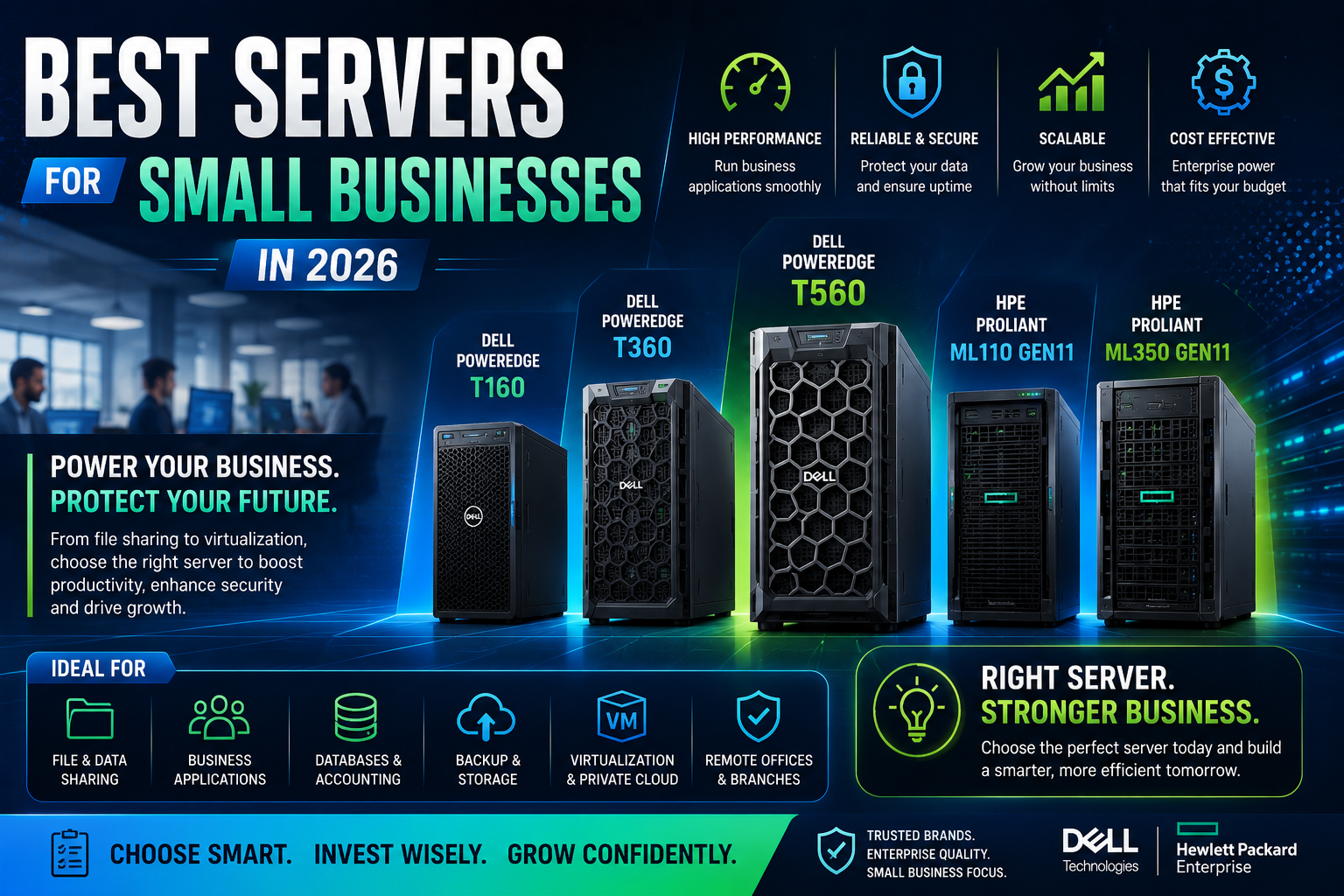
1. Dell PowerEdge T160
The Dell PowerEdge T160 is one of the more compact options to consider for small businesses and remote environments.
Dell positions the T160 for SMB, near-edge, remote-office and traditional business applications. Its compact tower design can be useful when a business doesn't have a dedicated server rack.
The T160 can be considered for workloads such as:
- File sharing
- Small business applications
- Messaging
- Remote-office computing
- Basic data analytics
It is particularly interesting for businesses that want an enterprise server platform without moving immediately to a large rack-mounted infrastructure.
2. Dell PowerEdge T360
For businesses that need more flexibility, the Dell PowerEdge T360 is another strong option.
Dell describes the T360 as a 4.5U single-socket tower server designed around versatility, affordability and processing capability. It supports Intel Xeon E-2400 processors with up to 12 cores, ECC UDIMM memory and multiple PCIe slots.
Dell also positions the T360 for SMB, remote-office, traditional business applications and private-cloud workloads.
This makes it suitable for businesses that expect their IT requirements to grow beyond simple file storage.
3. Dell PowerEdge T560
If your business needs considerably more processing power and expansion, the Dell PowerEdge T560 deserves attention.
Dell positions the T560 for SMB workloads, traditional business applications, private cloud and virtualization. The platform supports two 5th-generation Intel Xeon Scalable processors, up to 1TB of DDR5 memory in the configuration listed by Dell, and substantial storage capacity.
A server like the T560 can make sense when a business wants to consolidate multiple workloads onto one physical system.
For example, a company could potentially use it for:
- Virtualization
- ERP applications
- Databases
- File services
- Business applications
- Private cloud
It is considerably more infrastructure than a basic office server, so it makes most sense when expansion and workload consolidation are priorities.
4. HPE ProLiant ML110 Gen11
The HPE ProLiant ML110 Gen11 is specifically positioned by HPE as a tower server for small to mid-sized businesses and remote or branch offices.
It supports 4th and 5th Gen Intel Xeon Scalable processors, up to 1.5TB of DDR5 memory, PCIe Gen5 expansion and up to eight LFF or 16 SFF drives depending on configuration. HPE also offers optional redundant fans and power supplies.
That makes the ML110 Gen11 a flexible choice for businesses that want room to grow.
It can be used for:
- SMB applications
- File and storage services
- Remote offices
- Virtualization
- Business applications
- Edge workloads
Its rack-convertible design also gives businesses additional deployment flexibility.
5. HPE ProLiant ML350 Gen11
For businesses with more demanding requirements, the HPE ProLiant ML350 Gen11 provides a significant step up.
It is a two-socket tower server that can also be converted for rack deployment. HPE lists support for up to 8TB of DDR5 memory, PCIe Gen5, EDSFF storage and multiple GPU configurations.
HPE positions the ML350 Gen11 for workloads including IT infrastructure, data management, VDI and ERP/CRM.
This makes it a particularly interesting option for a growing business that expects its server requirements to increase over time.
Tower Server vs Rack Server for Small Businesses
For many small businesses, a tower server is the easiest place to start.
Tower servers can be installed in an office or dedicated IT room without requiring a full server rack.
They can be particularly useful for:
- Small offices
- Branch locations
- Retail businesses
- Professional services
- Manufacturing offices
- Growing startups
A rack server becomes more attractive when the business already has rack infrastructure or needs several servers.
If you're starting with one server and don't have a dedicated data center, a tower model can often be a practical choice.
How Much RAM Does a Small Business Server Need?
There isn't one correct RAM capacity.
The amount depends on the applications running on the server.
For example, a basic file server may require considerably less memory than a server running several virtual machines.
Consider:
- Number of users
- Number of applications
- Database size
- Virtual machines
- Operating system
- Expected growth
- Future expansion
It's generally better to leave some room for expansion rather than configuring a server exactly to today's requirements.
SSD or HDD for a Small Business Server?
Storage should also be selected according to workload.
SSD is generally better for applications that require fast response times, high IOPS and low latency.
HDD can be useful when large amounts of storage are required at a lower cost per terabyte.
A hybrid configuration can therefore be practical.
For example:
SSD:
Operating system, applications, databases and active workloads.
HDD:
Archives, backups and less frequently accessed data.
For demanding applications, enterprise NVMe SSDs can provide substantially higher storage performance.
Should a Small Business Use Virtualization?
Virtualization can be extremely useful for growing businesses.
Instead of purchasing separate physical servers for every application, multiple virtual machines can potentially run on one appropriately configured physical server.
For example, one server could host separate VMs for:
- Accounting
- File services
- Database
- Internal applications
- Testing
However, the physical server becomes an important point of infrastructure. Businesses running several critical workloads on one host should consider backups, redundancy and disaster recovery.
New vs Refurbished Servers for Small Businesses
A small business doesn't always need the latest generation of hardware.
A new server can be preferable when you need:
- Latest hardware
- Longer expected lifecycle
- Current-generation technology
- New warranty
- Maximum expansion potential
A certified refurbished server can be attractive when the priority is reducing upfront costs.
Refurbished servers can work well for:
- File servers
- Backup systems
- Development
- Testing
- Secondary applications
- Smaller virtualization environments
Before buying refurbished hardware, check the exact processor, RAM, storage, RAID controller, drive health, warranty and upgrade options.
Server Security Matters for Small Businesses
Small businesses are increasingly attractive targets for cyberattacks because they may have fewer IT resources dedicated to security.
A business server should therefore include appropriate security controls such as:
- Strong administrator authentication
- Regular firmware updates
- Operating-system patches
- Firewall protection
- Access controls
- Secure backups
- Encryption where appropriate
- Monitoring
- Disaster-recovery planning
Hardware-level security and remote management are also worth considering when comparing enterprise server platforms.
For example, HPE's ML350 Gen11 includes HPE's Silicon Root of Trust technology, while HPE's current ML110 Gen11 and ML350 Gen11 platforms support HPE iLO 6 management.
What Is the Best Server for Your Small Business?
The best server depends on what you're trying to accomplish.
For basic office workloads
A compact server such as the Dell PowerEdge T160 can be a practical starting point.
For growing SMB workloads
The Dell PowerEdge T360 or HPE ProLiant ML110 Gen11 can provide additional capability and expansion.
For virtualization and demanding applications
The Dell PowerEdge T560 or HPE ProLiant ML350 Gen11 can be more appropriate when CPU, RAM, storage and expansion requirements increase.
The final configuration should always be based on the actual workload rather than simply selecting the highest specification.
Final Verdict
The best server for a small business in 2026 is the one that provides enough performance today while leaving room for tomorrow.
For basic applications and remote offices, a compact tower server can provide a practical combination of enterprise features and manageable infrastructure.
For growing businesses, models such as the Dell PowerEdge T360, Dell PowerEdge T560, HPE ProLiant ML110 Gen11 and HPE ProLiant ML350 Gen11 provide different levels of performance and expandability. Dell and HPE both specifically position several of these platforms for SMB and remote-office workloads.
Don't choose a server based solely on CPU cores or RAM.
Consider the complete picture:
Workload + CPU + RAM + storage + networking + expansion + security + budget
That approach will help you choose a server that can support your business today without becoming a limitation as your organization grows.
Frequently Asked Questions
What is the best server for a small business in 2026?
There isn't one universal model. Dell PowerEdge T160 and T360 and HPE ProLiant ML110 Gen11 are practical options for smaller environments, while Dell T560 and HPE ML350 Gen11 are better suited to businesses with greater expansion and virtualization requirements.
Does a small business really need a server?
Not every small business needs a physical server. However, businesses that need centralized files, applications, databases, local backups, virtualization or greater control over their infrastructure may benefit from one.
Is a tower server better for a small business?
Often, yes. Tower servers are convenient when a business doesn't have a dedicated server rack. They can provide enterprise hardware without requiring a traditional data-center rack environment.
How much RAM does a small business server need?
It depends on the workload. Basic file and application servers may need relatively modest memory, while virtualization, databases and multiple business applications can require substantially more.
Should a small business buy Dell or HPE?
Both offer strong enterprise server platforms. The better choice depends on the required configuration, management tools, support, warranty, budget and workload.
Is refurbished server hardware good for small businesses?
Certified refurbished servers can provide good value when budget is important. Check the hardware condition, exact configuration, warranty, storage health and upgrade options before purchasing.
Should a small business use SSD or HDD?
SSDs are generally better for active applications and databases because of their lower latency and higher IOPS. HDDs remain useful for large-capacity storage and backups.
Can one server run multiple applications?
Yes. A sufficiently powerful server can run multiple applications, and virtualization can allow separate workloads to operate in independent virtual machines.
What should I check before buying a business server?
Check the CPU, RAM, storage, RAID, networking, expansion slots, operating-system compatibility, power requirements, warranty, remote management, security features and expected future workload.
How long should a small business server last?
The practical lifecycle varies based on workload, hardware reliability, support requirements and business growth. Many organizations plan server refreshes around workload requirements and vendor support rather than using a fixed age alone.